




 ·
13 minute read
·
13 minute read
Running a mentorship software platform that operates in isolation from the rest of your HR tech stack creates exactly the kind of invisible tax that kills program management at scale: duplicate data entry, stale employee profiles, scheduling friction, and a program coordinator spending half their week on tasks that should be automated.
Mentorship software HR integrations eliminate that tax entirely. When your mentoring platform connects natively to your HRIS, communication tools, calendar systems, LMS, and analytics suite, the program runs itself, enrollment is automated, participant engagement is tracked in real time, and learning outcomes surface in the dashboards your leadership already uses.
This is the guide to every integration category your HR and learning and development team should require from a mentoring platform, what each one does operationally, and exactly how Qooper delivers it.
What Are Mentorship Software HR Integrations?
Mentorship software HR integrations are live, bidirectional connections between your mentoring platform and the other systems in your HR technology stack. Rather than manually exporting employee data, uploading CSVs, or managing separate logins for a standalone tool, integrations let data flow automatically, keeping your mentoring program synchronized with your organization in real time.
What is HRIS integration in the context of mentoring software?
HRIS integration means your mentoring platform pulls employee data, names, roles, departments, skills, career interests directly from your human resources information system, such as Workday or SAP SuccessFactors. Instead of maintaining a separate database of employee profiles in your mentoring tool, the platform stays synchronized with your system of record automatically. When an employee changes roles, gets promoted, or leaves the company, those changes propagate to the mentoring platform without any manual intervention.
The result: your platform always knows who works at your company, what their role is, which team they're on, and when they're available, supporting stronger automated matching, better participation tracking, and more meaningful mentoring experiences across every cohort.
For HR and L&D teams running mentoring workflows across multiple departments, geographies, or mentoring formats, this is the difference between a program that compounds and one that stalls under its own administrative weight.
Why HR Integrations Are Non-Negotiable for Scalable Mentoring Programs
Why does mentoring software need HR integrations?
Without HR integrations, your mentoring platform is an island. Employee data decays the moment it's imported. Someone leaving the company stays enrolled as an active mentor. A promotion changes an employee's relevant skills and career stage, but their mentoring profile never reflects it. Every cohort requires hours of manual work to set up, and the quality of automated matching suffers because the data powering it is always slightly wrong.
Integrations solve this at the root. Your data is accurate because it comes directly from the system that owns it. Administration is automatic because the integration handles what previously required human effort. And participant engagement rises because mentoring shows up inside the tools employees already use every day, not in a separate platform they have to remember to log into.
The business case comes down to three specific failure modes that integrations prevent:
Data decay kills match quality. Promotions, transfers, new hires, and departures happen constantly. Without a live secure connection to your HRIS, your mentoring platform is working from yesterday's org chart. Matches are made on outdated job titles. Program dashboards report on who your employees were, not who they are now.
Manual administration doesn't scale. Without integration-driven program automation, someone owns the manual work: exporting data, uploading it, reconciling mismatches, triggering automated communications, and chasing participants to log their mentoring milestones. These hours compound quickly across cohorts.
Friction destroys participation. If joining a mentoring program requires a separate login, a new account, and manually scheduling sessions outside of an existing calendar, user engagement drops. Behavioral friction is the enemy of habit formation, and mentoring only works when it becomes a habit.
The 8 Types of Mentorship Software HR Integrations Qooper Provides
1. HRIS Integration: The Foundation of Employee Growth Programs
How does HRIS integration streamline mentoring program management?
HRIS integration automates the three most time-consuming administrative tasks in any mentoring program: keeping employee profiles current, enrolling participants, and revoking access when employees leave. When Qooper connects to your HRIS, new hires appear in the platform automatically, profile updates propagate in real time, and offboarded employees lose access the moment the change is made in your HRIS. No CSV uploads. No stale data. No orphaned accounts.
What are the benefits of synchronizing people data for mentor matching?
When the matching engine draws from live HRIS data, current job titles, departments, skills, career interests, manager relationships, and custom fields, matching criteria reflect what's actually true about your employees today. This is what separates automated matching informed by live data from matching built on a static profile an employee filled out once at enrollment. The result is smarter matches that align with real professional development and career development goals, which directly correlates to relationship quality and program retention.
Which HRIS platforms does Qooper integrate with?
- Workday — Connects via a secure API-based integration or Reports as a Service (RaaS). Uses a dedicated Integration System User (ISU) with field-level permissions, your HRIS team controls exactly what Qooper can access. All transfers use OAuth 2.0 authorization and AES-256 encryption. Qooper can sync any standard or custom Workday field, including "Next Step" career interests to support mentorship pathways tied to internal mobility goals. No custom code required; the validation process is fully guided.
- SAP SuccessFactors — Full HCM sync for automated enrollment, profile creation, and lifecycle management, supporting employee growth programs aligned with SuccessFactors development plans.
- Oracle / PeopleSoft — Enterprise-grade integration for complex organizational structures and global programs running inclusion-focused initiatives across multiple regions.
- ADP — Centralized employee data sync to automate user provisioning and keep roles, skills, and career development goals current.
- BambooHR — Live connection for mid-market organizations maintaining profile accuracy without manual effort.
- UKG — Automated enrollment and lifecycle management for organizations using UKG as their system of record.
This is the operational backbone that allows large organizations to run mentoring formats at scale, from one-on-one mentoring and mentoring circles to reverse mentoring, mentoring peer-to-peer, and mentorship pathways tied to career development tracks, without adding administrative headcount.
2. Single Sign-On (SSO): Removing the Authentication Barrier
How does SSO improve participation in mentoring programs?
SSO means employees access Qooper with the same credentials they use for every other enterprise application, no new account, no separate password, no friction at the login screen. That reduction in authentication friction translates directly into higher initial activation rates, faster time-to-first-session, and stronger long-term user engagement. When the program feels like a native part of the work environment rather than an extra tool, employees are more likely to treat it that way.
Combined with HRIS integration, a single provisioning event, a new hire created in Workday, can automatically trigger Qooper account creation, role assignment, and SSO access. The employee's first response to a mentoring program invitation is joining, not troubleshooting a login.
Which SSO providers does Qooper support?
Qooper supports SSO via SAML 2.0 and integrates with:
- Okta
- Microsoft Azure AD / Entra ID
- Google Workspace
- OneLogin
- Ping Identity
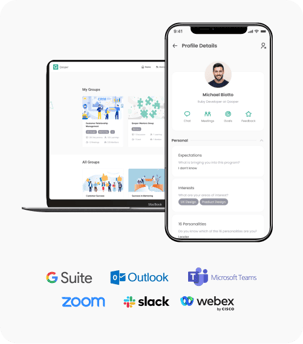
3. Communication Platform Integration: Slack and Microsoft Teams
How do communication integrations enhance mentor-mentee engagement?
Employee engagement in a mentoring relationship is partly a design problem and partly a proximity problem. If mentoring lives in a separate tool that employees have to consciously navigate to, it competes for attention against everything else in their day. When mentoring shows up where employees already spend their time, in Slack or Microsoft Teams, it becomes part of the rhythm of work rather than an interruption to it.
Communication integrations enable automated communications: session reminders, feedback prompts, mentoring milestone alerts, and program updates are delivered directly in the platform your people already check. Program coordinators can push announcements across channels. The program stays visible at the team level, a meaningful driver of social accountability and mentoring momentum.
What are the benefits of Slack integration for mentoring programs?
Slack's channels and messaging make mentoring feel conversational rather than bureaucratic. Participants receive nudges in the same feed as the rest of their work, which keeps mentoring top of mind between sessions. For mentoring peer-to-peer formats and mentoring circles in particular, where ongoing informal connection matters as much as scheduled sessions, Slack integration supports the lightweight touchpoints that sustain participant engagement over time.
What are the benefits of Microsoft Teams integration for mentoring programs?
For Microsoft 365 organizations, Teams integration keeps the mentoring experience inside the existing enterprise ecosystem. Participants can access program features, view their match, review session agendas, and join scheduled sessions without switching applications. The structured collaboration model in Teams suits formal, agenda-driven programs well, including leadership training cohorts and career development tracks with defined milestones.
4. Calendar Integration: Google Workspace and Microsoft Outlook
How does calendar integration improve scheduling in mentoring programs?
Scheduling is the most underestimated source of friction in mentoring. Two professionals with full calendars trying to find a shared window through email threads will eventually stop trying. The session gets deprioritized. Mentoring momentum stalls. Relationships weaken, not because either party lacks motivation, but because the logistical cost of scheduling consistently exceeds the threshold they're willing to pay.
Qooper's calendar integrations remove this barrier entirely. Mentors and mentees view each other's real-time availability, book sessions directly within the platform, and have meetings added to their calendars automatically, including video call links and pre-populated session agendas to keep conversations structured and productive.
What are the advantages of two-way calendar sync for mentoring session management?
Two-way sync means that rescheduling from a calendar app, Google Calendar, Outlook, or iCal, is reflected in Qooper as well. This eliminates conflicting scheduling states across systems, keeps participation tracking accurate without manual reconciliation, and ensures that both mentoring workflows and calendar availability stay consistent even as participants' schedules change.
Which calendar tools does Qooper integrate with?
- Google Workspace (Google Calendar) — Real-time availability sync across desktop and mobile, with embedded Zoom or Meet links on booked sessions.
- Microsoft Outlook / Office 365 — Full integration for Microsoft 365 environments; invites, rescheduling, and cancellations flow through Outlook automatically.
- Apple iCal — For Apple-heavy device environments, mentoring sessions sync seamlessly across macOS and iOS.
5. Video Conferencing Integration: Zoom, Webex, Google Meet, and Microsoft Teams
How does video conferencing integration support virtual mentoring?
Virtual mentoring is a permanent fixture of enterprise L&D, not a pandemic-era workaround. Hybrid workforces and globally distributed teams mean that most mentoring relationships involve at least some video-based interaction. Qooper integrates with all major enterprise video platforms so that scheduling a session automatically generates a working video link, embedded in the calendar invite and in-platform notification. No manual link generation. No copy-pasting. No sessions that fall apart because someone couldn't find the meeting URL.
Which video platforms does Qooper support for virtual mentoring sessions?
- Zoom — Creates meeting links at booking automatically; the default choice for organizations standardized on Zoom, creating a seamless flow from match request to first coaching session.
- Cisco Webex — Enterprise-grade video for organizations in regulated industries where Webex's security and reliability are required, including healthcare, finance, and government.
- Microsoft Teams Meetings — Generates Teams meeting links directly from Qooper, keeping the experience inside the Microsoft ecosystem.
- Google Meet — Completes the full Google Workspace integration for GSuite-first environments, supporting seamless virtual mentoring without an additional video tool.
6. LMS Integration: Connecting Mentoring to Learning Outcomes
How does LMS integration support learning and development goals?
Learning and development leaders don't run mentoring programs in isolation. Mentoring is one layer of a broader talent development strategy that includes formal training, compliance learning, upskilling, curriculum design, and learning integrations across multiple systems. LMS integration is what allows mentoring data and learning data to coexist, creating a coherent picture of employee growth rather than parallel silos that never inform each other.
What benefits do integrated LMS and mentoring workflows deliver?
With Qooper's LMS integrations, organizations can align mentoring goals with active learning outcomes and learning paths in the LMS; surface relevant training content and learning circles to mentees inside the mentoring experience; report on mentoring workflows alongside formal learning completion in a single view; use LMS completion data to trigger mentoring enrollment or advance mentoring milestones; and support collaborative learning and social learning initiatives by connecting peer mentoring to structured content tracks.
For organizations running a performance management system alongside their LMS, learning integrations allow mentoring progress to be tracked against formal performance goals, creating a traceable connection between program management and business outcomes that program dashboards can surface directly.
Which LMS platforms does Qooper integrate with?
Qooper supports Cornerstone OnDemand, Moodle, and additional platforms via API. LinkedIn Learning is available as a content library integration, allowing mentees to access curated professional development content relevant to their mentoring goals without leaving the Qooper experience.
7. Analytics Suite: Matching & Analytics, DEI Dashboards, and Business Intelligence
How does mentoring analytics help HR measure program ROI?
Proving the impact of a mentoring program has historically been one of the hardest problems in learning and development. Qooper's analytics suite, including native matching & analytics dashboards and connections to external BI tools, replaces that challenge with data. Program coordinators get real-time visibility into match activation rates, session completion rates, mentoring milestone achievement, and participant engagement scores. Leadership gets the ROI numbers they need, retention correlation, promotion rates, employee growth metrics, in the dashboards they already use.
How do DEI dashboards support diversity and inclusion initiatives?
For organizations running diversity and inclusion and DEI initiatives through their mentoring program, Qooper's DEI dashboards surface match diversity metrics, inclusion-focused initiatives participation rates, and engagement trends across demographic groups. When connected to HRIS, the matching engine can apply matching criteria that explicitly support diversity goals, cross-departmental pairing, mentorship pathways designed to develop underrepresented talent, and global inclusion reporting across multiple geographies. This makes mentoring a measurable driver of DEI initiatives strategy, not just a qualitative benefit claimed in leadership presentations.
What does Qooper's analytics suite report on?
- Match acceptance and activation rates
- Session completion rates by cohort, department, program type, and mentoring format
- Mentoring milestone and goal completion rates
- Participant satisfaction and NPS scores from feedback prompts
- Employee growth correlation: retention and promotion data when connected to HRIS
- DEI initiatives participation and match diversity metrics
- Alumni networks engagement for post-program relationship tracking
- Participation tracking by mentoring format: one-on-one, mentoring circles, learning circles, mentoring peer-to-peer
For organizations running enterprise reporting through Tableau or Power BI, Qooper's data exports directly into those environments, placing mentoring metrics alongside employee engagement scores and employee recognition data in the dashboards leadership already trusts.
8. Survey Tool Integration and Automated Feedback Loops
Feedback prompts are essential for keeping mentoring experiences improving cohort over cohort. Qooper includes built-in survey templates for session feedback, program satisfaction, mentoring milestone check-ins, and learning outcomes measurement. For organizations using dedicated survey platforms, Qooper supports integration with external tools so that feedback data centralizes alongside other program dashboards data.
Survey responses feed directly back into matching criteria refinement, helping the matching engine improve over time as program coordinators identify which attributes most reliably predict strong relationships. This closes the loop between automated matching, relationship quality, and long-term learning outcomes.
Supporting Every Mentoring Format Through One Integration Layer
What mentoring formats does Qooper support?
One reason mentorship software HR integrations matter so much is that they don't just support a single program type; they enable a full ecosystem of mentoring formats, each requiring different data flows, scheduling patterns, and participant engagement mechanics:
- One-on-one mentoring — The foundational format, powered by HRIS-informed automated matching and calendar sync for frictionless scheduling
- Mentoring circles — Group-based social learning initiatives where multiple mentees work with one mentor or a peer cohort; requires group scheduling and collaborative learning tracking
- Mentoring peer-to-peer — Relationships between colleagues at similar levels, often used for upskilling and cross-functional knowledge transfer
- Reverse mentoring — Junior employees mentoring senior leaders on emerging trends, technology, or diversity and inclusion perspectives; requires role-inverted matching criteria
- Virtual mentoring — Fully remote mentoring experiences supported by video integration, calendar sync, and async communication tools
- Coaching sessions — Structured, agenda-driven interactions with pre-populated session agendas, milestone tracking, and feedback prompts built into each meeting flow
- Alumni networks — Post-program engagement tracking for former mentees, supporting ongoing interpersonal networks and career development across organizational boundaries
- Learning circles — Cohort-based collaborative learning groups combining peer discussion with LMS-connected content tracks
All of these formats run through the same integration layer, meaning your team doesn't manage separate tooling for each program type. One mentoring software platform, fully connected to your existing HR tech stack, handles all of them.
Security and Compliance: What Enterprise Integrations Require
Any integration touching employee data must meet enterprise security standards. Qooper serves organizations in regulated industries, healthcare, finance, manufacturing, and government, where verification, compliance, and auditability are non-negotiable.
What security certifications does Qooper hold for HR integrations?
- SOC 2 Type II certified
- GDPR compliant
- CCPA compliant
- Role-based access control (RBAC) and full audit logging
How does Qooper protect employee data during HRIS integration?
All integrations use OAuth 2.0 authentication and AES-256 encryption for data in transit and at rest. For Workday specifically, the Integration System User (ISU) model means Qooper only accesses the fields your HRIS team explicitly authorizes, nothing more. Access revocation is automatic at offboarding. The validation process for each integration is documented, guided by Qooper's IT team, and requires no custom development on your side.
Integration Checklist: Evaluating Mentorship Software HR Integrations
What should HR teams evaluate when choosing a mentoring platform for integrations?
Use this checklist when assessing Qooper or any mentorship software vendor for enterprise deployment:
|
Integration Category |
What to Verify |
|---|---|
|
HRIS |
Supported platforms, real-time vs. batch sync, custom field mapping to matching criteria, automated offboarding |
|
SSO |
SAML 2.0 support, compatible identity providers, automated provisioning, authentication flow |
|
Communication |
Slack and/or Teams support, notification types, automated communications, feedback prompts |
|
Calendar |
Two-way sync, automatic video link generation, session agenda pre-population, multi-platform support |
|
Video |
Zoom, Teams, Webex, Meet support; automatic link creation on match request and booking |
|
LMS |
Content library connection, learning outcomes sync, enrollment trigger capability, learning integrations depth |
|
Analytics |
Native program dashboards, DEI dashboards, Tableau/Power BI export, participation tracking, HRIS outcome correlation |
|
Security |
SOC 2 Type II, GDPR/CCPA, encryption standards, audit logging, RBAC, validation process |
|
Mentoring Formats |
One-on-one, mentoring circles, mentoring peer-to-peer, virtual mentoring, coaching sessions, alumni networks |
|
Implementation |
Timeline, IT resource requirements, dedicated support model, documentation quality |
Summary: The Fully Integrated Mentoring Program
The most effective mentoring programs in large organizations share one characteristic: they don't ask people to change how they work. They embed mentoring experiences inside the tools, systems, and rhythms that already structure the workday.
Qooper Mentorship Software HR integrations connect with the full enterprise HR tech stack to make that possible:
- HRIS: Workday, SAP SuccessFactors, Oracle, ADP, BambooHR, UKG — for automated matching, employee growth tracking, and program automation
- SSO: Okta, Azure AD, Google Workspace, OneLogin, Ping Identity — for seamless authentication and zero-friction enrollment
- Communication: Slack, Microsoft Teams — for automated communications, feedback prompts, and mentoring momentum built into daily workflows
- Calendar: Google Workspace, Microsoft Outlook / Office 365, Apple iCal — for frictionless scheduling with pre-populated session agendas
- Video: Zoom, Webex, Microsoft Teams Meetings, Google Meet, for virtual mentoring and coaching sessions with no manual link generation
- LMS: Cornerstone OnDemand, Moodle, LinkedIn Learning, for learning integrations that connect mentoring workflows to formal learning outcomes
- Analytics/BI: Native program dashboards, DEI dashboards, Tableau, Power BI, for matching & analytics, participation tracking, and ROI reporting tied to employee engagement and employee recognition
- Mentoring Formats: One-on-one, mentoring circles, mentoring peer-to-peer, reverse, virtual mentoring, coaching sessions, alumni networks, learning circles, all through one mentoring software platform
The result is a learning and development program that scales without adding administrative overhead, delivers smarter matches through live HRIS data, drives employee engagement by meeting people where they already work, and proves its impact through deeper insights in the dashboards your leadership already trusts.
Want to see how Qooper integrates with your specific HR tech stack? Request a personalized demo and walk through your environment with a Qooper integration specialist.
Related Articles
- The Complete Guide to Qooper Mentoring Software Integrations
- Mentoring Software LMS Integration
- Mentoring Software Workday Integration
- Mentoring Software Zoom Integration
- Mentoring Software ADP Integration
- Qooper Integrations
- Mentoring Software Cornerstone LMS Integration
Frequently Asked Questions
Does setting up Qooper's HRIS integration require custom development?
No. Qooper provides a guided configuration process for all major HRIS platforms. Your HRIS administrator creates an Integration System User and configures an API endpoint or RaaS report within your HRIS. No custom code required. Qooper's IT team supports your team through the full validation process and setup.
How long does it take to implement Qooper with HRIS integration?
Most organizations are operational within weeks. Implementation timelines depend on the complexity of your HR technology stack and the number of programs launching simultaneously. Qooper provides dedicated implementation support and full technical documentation to accelerate the process.
Can Qooper support multiple mentoring formats simultaneously?
Yes. Qooper runs one-on-one mentoring, mentoring circles, mentoring peer-to-peer, reverse mentoring, virtual mentoring, and coaching sessions through the same platform and the same integration layer. Organizations managing multiple concurrent programs — for example, a leadership training cohort alongside a DEI initiatives track — can run both from a single mentoring software platform.
How are employee terminations handled in integrated programs?
When an employee is offboarded in your HRIS, the integration automatically revokes their Qooper access and removes them from active mentoring workflows. This keeps participation tracking accurate, data compliant, and security tight — with no manual intervention from the program coordinator.
What mentoring software is best for DEI in HR programs?
The most effective mentoring software for DEI initiatives is one that applies diversity and inclusion logic directly at the matching layer. Qooper's matching engine uses HRIS-sourced matching criteria to create deliberately diverse pairs, cross-departmental, cross-level, cross-demographic, and tracks the results through DEI dashboards that measure inclusion-focused initiatives participation and global inclusion outcomes over time.
How does Qooper support alumni networks after a mentoring program ends?
Qooper tracks alumni networks engagement for former program participants. Program coordinators can monitor ongoing connection activity, facilitate interpersonal networks between alumni, and surface long-term career development outcomes, including promotions and retention data, that demonstrate the lasting ROI of the mentoring investment beyond the active program window.
-4.jpg)

.webp)