

Skip to content
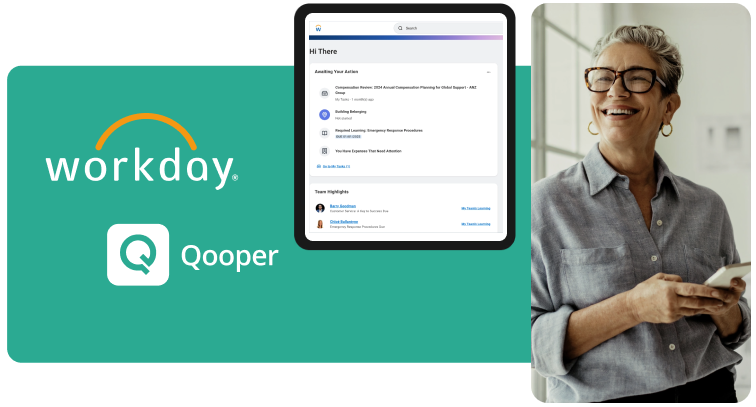
workday integration of Qooper

Seamlessly Connect Mentoring to Your HR Source of Truth:

The Qooper & Workday Integration


The Qooper Workday Integration enables organizations to bridge the gap between their core HR data and their employee development initiatives. By connecting Qooper with Workday, HR and L&D leaders can automate program administration, ensure data integrity, and create personalized mentoring experiences based on real-time employee profiles.

Strategic Integration for Modern HR
This integration is built for enterprise organizations running mentoring, leadership development, and DEI programs that use Workday as their primary System of Record. By syncing Workday’s rich employee data with Qooper, organizations eliminate manual entry, reduce administrative overhead, and ensure that every employee’s growth journey is aligned with their current role and career trajectory.

What You Can Do with the Qooper Workday Integration

With Qooper connected to your Workday ecosystem, your organization can:

  • Automate User Provisioning: Automatically add new hires to onboarding programs or remove offboarded employees from active mentoring cycles.

  • Sync Rich Profile Attributes: Import job titles, departments, locations, and tenure to power smarter, data-driven mentor matching.

  • Single Sign-On (SSO): Provide a frictionless experience where employees can access Qooper using their Workday credentials.

  • Dynamic Program Enrollment: Automatically enroll employees into specific programs (like High-Potential Leadership or ERGs) based on their Workday "Worker Type" or "Organization" status.

  • Real-Time Data Accuracy: Ensure that promotions, lateral moves, or manager changes in Workday are instantly reflected in the mentoring environment.

Secure Authentication

  • Connect via Workday RaaS (Reports as a Service) or API for enterprise-grade security.

Field Mapping

  • Map Workday fields (e.g., Skills, Department, Manager) directly to Qooper profile attributes.

Automated Sync

  • Schedule daily or real-time syncs to keep participant lists and profiles updated without manual uploads.

Filtered Access

  • Admins control which specific segments of the Workday population are synced to the Qooper platform.

How the Workday Integration Works

Why Integrate Workday with Your Mentoring Program

Organizations choose the Workday-to-Qooper integration to solve the "data silo" problem:

  • Eliminates Administrative Burden: HR teams no longer need to manually manage CSV exports or invite lists.

  • Enhances Matching Precision: By using verified Workday data, the "Smart Match" algorithm connects mentors and mentees based on actual organizational hierarchy and skill sets.

  • Scales Enterprise-Wide: Easily manage programs across tens of thousands of employees across global locations with consistent data.

  • Data Integrity: Reduces errors associated with self-reported profile data by pulling "source of truth" information from the HCM.

Note: The integration follows enterprise security best practices, utilizing OAuth 2.0 and encrypted data transfers to ensure that sensitive employee information remains protected.

The Qooper Workday Integration is designed to support:

  • High-Volume Onboarding: Instantly pair new hires with "buddies" the moment they are hired in Workday.

  • Leadership Pipelines: Identify and enroll "High Potential" employees into executive mentoring.

  • Diversity & Inclusion (DEI): Use demographic data to support and track the progress of ERG-based mentoring programs.

  • Internal Mobility: Suggest mentors based on an employee’s "Next Step" career interests documented in Workday.

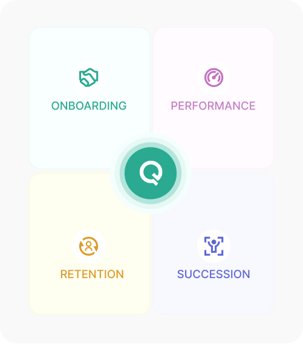
Built for Comprehensive Talent Development

Secure & Compliant Workday Connectivity

The Qooper-Workday integration is built to the highest enterprise standards, utilizing Workday-native security protocols to protect your HCM data. By leveraging a dedicated Integration System User (ISU) and Security Groups (ISSG), your HRIS team maintains granular control over exactly which attributes are shared. All data transfers are secured via OAuth 2.0 and AES-256 encryption, ensuring a secure "handshake" without the need to store administrative credentials. Furthermore, the integration automates the employee lifecycle—instantly revoking access in Qooper when a worker is offboarded in Workday—to ensure your organizational data remains compliant, audited, and secure at all times.

#1 Rated Software, Service & Integrations For
Mentorship & Learning

Qooper has outstanding support

"I am very happy that Matthews has been with Qooper for the last 2 years. The Qooper team has been great in supporting us with the program set up, integration, strategies and quick customer support. I recommend Qooper to anyone who is looking to run effective mentorship programs as their team is the best to work with."


logo-matthews-international-corporation


Kim
Matthews International

Speed, control, and navigation on Qooper.

"Being able to reach out to my entire group with a question, without having to chose who to "bother". It was very easy to navigate from day one. Qooper is a nice way to connect with groups, as well as work on individual tasks. It takes away the need to set a schedule elsewhere, as the software keeps everything organized for me."


northwestern medicine

Rachel
Northwestern Medicine

Effortless communication with integrations

"The seamless integrations make scheduling and communication effortless, helping users stay aligned and monitor their progress with ease. So far, the experience has exceeded expectations, combining simplicity, structure, and smart integrations for a truly efficient mentoring journey."


undefined-Nov-05-2025-04-21-28-9168-PM

Veronica
RJW Barnabas Health
logos-25-set3-1
logos-25-set3-2
logos-25-set3-3
logos-25-set3-4
badegs-2025-may-01
badegs-2025-may-02
badegs-2025-may-05
badegs-2025-sep-03
badegs-2025-sep-04
badegs-2025-may-06
badegs-2025-may-07
badegs-2025-may-09
badegs-2025-may-10
badegs-2025-may-11
badegs-2025-may-08
logos-25-set3-1
logos-25-set3-2
logos-25-set3-3
logos-25-set3-4

FAQ

How does Qooper integrate with Workday?

Qooper connects to Workday using a secure API-based integration or through Reports as a Service (RaaS). This allows Qooper to pull relevant employee data directly from your Workday instance to automate user management and profile creation.

What data fields can Qooper sync from Workday?

Qooper can sync any standard or custom field available in Workday. Common fields include Name, Email, Job Title, Department, Location, Manager, Hire Date, and Skills. Your HRIS team has full control over which specific fields are mapped and shared with the Qooper platform.

Does the integration support Single Sign-On (SSO)?

Yes. Qooper supports SSO via Workday (using SAML 2.0 or OpenID Connect). This allows your employees to log in to their mentoring or development programs using their existing Workday credentials, increasing security and platform adoption.

How often does the data sync occur between the two platforms?

You can customize the sync frequency based on your needs. Most organizations opt for a daily automated sync, but Qooper can also support real-time updates to ensure that employee changes (like new hires or promotions) are reflected immediately.

What happens when an employee leaves the company in Workday?

Qooper’s integration includes automated offboarding. As soon as an employee is marked as "Terminated" or "Inactive" in Workday, the integration will automatically deactivate their Qooper account, revoking access to the mentoring platform and ensuring your data remains secure.

Can we use Workday data to automate mentor matching?

Absolutely. One of the primary benefits of the Qooper-Workday integration is using "Source of Truth" data to power our Smart Matching algorithm. You can use Workday attributes to automatically suggest the most compatible mentor-mentee pairs.

Does our HRIS team need to write any code to set this up?

No. Qooper provides a guided configuration process. While your Workday Administrator will need to create an Integration System User (ISU) and a report/API endpoint within Workday, no custom coding is required on your end to maintain the connection.

Is the integration secure?

Yes. Security is our priority. The integration uses OAuth 2.0 for authorization and AES-256 encryption for data in transit and at rest. Because we use Workday’s native security groups, Qooper only ever sees the specific data points you have authorized it to see.

Want to explore more?

Discover how Qooper can help your organizational goals and people development today.