



 ·
9 minute read
·
9 minute read
Enterprise mentoring software can eliminate or substantially reduce the repetitive administrative work involved in enrollment, mentor matching, communication, scheduling, engagement monitoring, surveys, and reporting.
It does not eliminate program strategy, stakeholder management, sensitive interventions, or decisions that require human judgment.
The exact number of hours saved depends on how the program operates today. A 100-person mentoring program managed through spreadsheets and individual emails will have a different savings profile from a global portfolio containing thousands of participants. The most reliable way to estimate the impact is to measure each recurring task, identify what the software can automate, and calculate the difference over a complete program cycle.
What Counts as Mentoring Program Administration?
Mentoring program administration is the operational work required to move participants from enrollment to a completed mentoring relationship.
- Collecting applications and participant information
- Checking eligibility and approving participants
- Matching mentors and mentees
- Resolving unmatched participants and exceptions
- Sending introductions, reminders, and program updates
- Coordinating meetings and responding to scheduling problems
- Distributing training materials and conversation guides
- Monitoring participation and relationship health
- Running surveys and collecting feedback
- Preparing reports for HR and executive stakeholders
None of these activities is inherently unnecessary. The problem is that many become repetitive at enterprise scale.
Sending one reminder takes little time. Sending, tracking, and following up on reminders for 500 participants is an operating process. Matching ten pairs manually may be manageable; matching hundreds across skills, locations, goals, seniority levels, languages, availability, and mentor capacity creates a significant administrative burden.
Enterprise mentoring software reduces that burden by turning repeatable processes into configured workflows. Qooper brings those workflows together through matching, automation, participant guidance, integrations, dashboards, and reporting designed for enterprise mentoring programs.
Which Administrative Tasks Can Mentoring Software Reduce?
Enrollment and participant data management
Without a dedicated platform, administrators may collect participant information through forms, email, spreadsheets, or disconnected HR systems. They then clean the data, identify missing answers, verify eligibility, and prepare it for matching.
Mentoring software can centralize applications and participant profiles. When connected with HR systems, it may also reduce duplicate data entry and help keep participant information current.
The software can handle routine collection and organization. Administrators still need to define eligibility rules, decide which information is relevant, and address unusual cases.
How Qooper supports enrollment automation
Qooper supports HRIS-connected enrollment workflows that can use employee attributes and organizational events to place eligible people into the appropriate program or cohort. Its enterprise workflow model also supports waitlists, participant updates, and deprovisioning logic, reducing the need to reconcile separate forms and spreadsheets. Teams can connect mentoring with their existing HR technology through Qooper integrations.
Mentor-mentee matching
Matching is often the most visible administrative bottleneck.
A manual process may require the program team to compare profiles, check preferences, evaluate development goals, review conflicts, balance mentor capacity, and document every decision. As the number of participants grows, the number of potential pairings grows much faster.
Mentoring software can evaluate matching criteria consistently and generate matches or recommendations at scale. Depending on the program design, participants may also be allowed to choose from compatible mentors through self-matching.
This does not mean that administrators lose control. The strongest operating model uses automation for the initial workload while reserving human review for executives, specialized development needs, scarce mentors, conflicts of interest, and other exceptions.
How Qooper reduces matching administration
Qooper’s matching capabilities are designed to compare participants across factors such as development goals, expertise, career stage, availability, organizational context, relationship history, and stated preferences. Administrators can configure matching for different program types, review recommendations, adjust individual pairings, and manage exceptions without rebuilding the entire matching queue. Qooper also supports multiple matching models, including administrator-led and self-matching approaches.
For teams moving away from spreadsheets, Qooper’s scalable mentor matching guide provides a practical transition path.
Participant communication
Program administrators frequently send the same categories of communication throughout a cohort:
- Application confirmations
- Acceptance or waitlist notices
- Match introductions
- Training instructions
- Meeting reminders
- Survey requests
- Inactivity follow-ups
- Program completion messages
When these messages are sent manually, the work includes more than writing an email. Administrators must maintain recipient lists, determine who should receive each message, schedule delivery, monitor responses, and follow up with people who did not act.
Automated workflows can trigger the correct communication based on program stage or participant behavior. The administrator designs and approves the communication journey, while the platform handles routine delivery.
How Qooper automates mentoring communications
Qooper supports configurable communication sequences across the participant journey, including enrollment messages, onboarding instructions, match announcements, meeting prompts, pulse surveys, milestone nudges, and re-engagement messages for inactive pairs. Notifications can also be brought into familiar workplace channels through integrations such as Microsoft Teams and Slack, helping participants act without relying on the program administrator to chase every response.
Scheduling and meeting coordination
Scheduling becomes expensive when program managers act as intermediaries for every mentoring pair.
Calendar and meeting integrations can allow mentors and mentees to coordinate directly within their normal workflow. Automated reminders can reduce the need for administrators to chase every upcoming or missed meeting.
Human involvement is still needed when a relationship repeatedly stalls, a participant requests reassignment, or access and calendar issues cannot be resolved automatically.
How Qooper reduces scheduling work
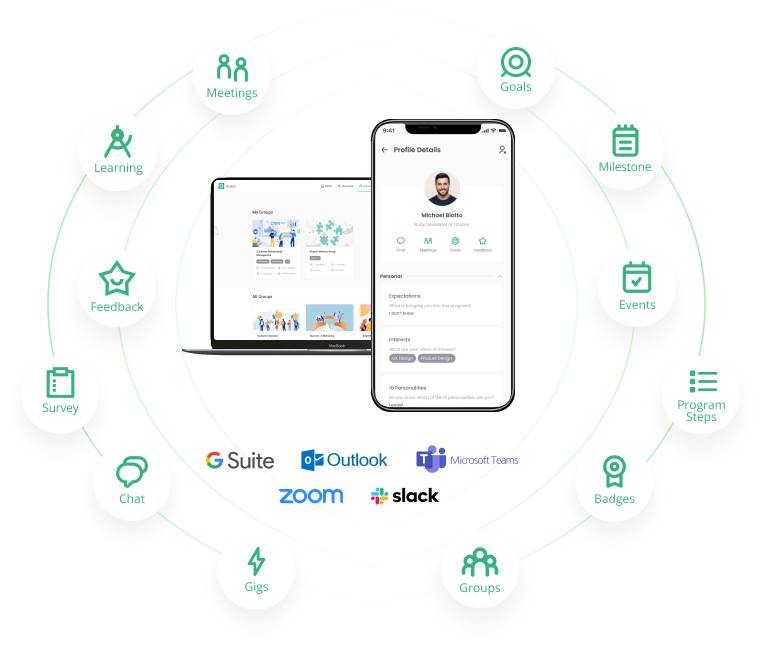
Qooper integrates mentoring activity with Google Workspace and Microsoft Outlook calendars and supports meeting links through tools such as Zoom, Microsoft Teams, and Google Meet. Participants can schedule sessions within the mentoring journey, while reminders, meeting context, and follow-up prompts can be delivered automatically. This shifts routine coordination to the platform and leaves administrators to handle genuine exceptions.
Training and relationship guidance
Administrators often repeat the same instructions about expectations, confidentiality, goal setting, meeting preparation, and productive mentoring conversations.
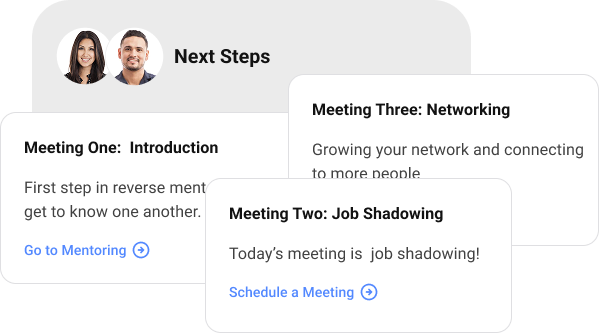
A structured platform can deliver orientation materials, meeting agendas, prompts, resources, goals, and milestones at the appropriate points in the relationship. This replaces repeated one-to-one explanation with a consistent participant journey.
The program team remains responsible for deciding what a successful relationship should look like. The software distributes that design consistently.
How Qooper delivers structure after the match
Qooper extends beyond matching with a mentorship training library, configurable resources, goal-setting frameworks, meeting agendas, feedback templates, session notes, and participant guidance. Qooper AI can support pair-specific meeting guidance and goal articulation. These capabilities help mentors and mentees answer routine “what should we do next?” questions without requiring the program team to coach every pair individually.
Engagement monitoring and interventions
Manual monitoring usually requires administrators to combine attendance records, spreadsheets, survey responses, and email conversations. By the time a problem becomes visible, the relationship may already be inactive.
Centralized activity data can show which participants have completed onboarding, connected with their match, scheduled meetings, responded to surveys, or stopped engaging.
This changes the administrator’s job. Instead of asking every participant for an update, the administrator can focus on the smaller group that genuinely needs support.
How Qooper helps administrators focus interventions
Qooper provides activity dashboards with drill-down visibility into mentoring relationships, along with re-engagement workflows and alerts intended to surface inactive or at-risk pairs. Goals, session activity, milestones, and feedback can be viewed within the same program environment. This gives administrators a clearer exception queue instead of forcing them to reconstruct relationship health from email and spreadsheets.
Surveys and reporting
Reporting can become one of the largest hidden costs of a mentoring program. Teams may need to export data, reconcile files, calculate participation rates, summarize survey answers, prepare charts, and rebuild presentations for each stakeholder review.
Mentoring software can centralize program activity, feedback, goals, and outcome data. Dashboards and reusable reports reduce the mechanical work of assembling an update.
Administrators still need to interpret the evidence. Software can show that participation declined or that one cohort is less active, but a person must determine why it happened and what the organization should do next.
How Qooper streamlines surveys and reporting
Qooper combines surveys, feedback, progress tracking, activity dashboards, cohort segmentation, and ROI-oriented reporting. Scheduled report delivery can reduce recurring report assembly, while program-level and cross-program views help L&D leaders compare performance without manually combining separate files. Qooper’s reporting and analytics capabilities are designed to support program managers, HR leaders, and executive stakeholders at different levels of detail.
How Much Time Can Your Organization Actually Save?
There is no credible universal percentage that applies to every enterprise mentoring program.
The answer depends on five variables:
- Number of participants and active mentoring relationships
- Number of programs, cohorts, regions, and use cases
- Current level of manual work
- Frequency of communication, monitoring, and reporting
- Amount of exception handling the program requires
A simple workload calculation is more useful than a generic benchmark:
Administrative hours saved = current task volume × current time per task − future task volume × future time per task
Run this calculation for each administrative category over a complete program cycle.
Illustrative workload model
-
Reviewing and organizing applications — current workload: 20 hours; after automation: 6 hours.
-
Producing initial match recommendations — current workload: 45 hours; after automation: 10 hours.
-
Sending routine communications — current workload: 24 hours; after automation: 5 hours.
-
Tracking participation and following up — current workload: 30 hours; after automation: 12 hours.
-
Compiling surveys and reports — current workload: 25 hours; after automation: 8 hours.
-
Illustrative total — current workload: 144 hours; after automation: 41 hours.
In this scenario, the program would reclaim 103 administrative hours during one cycle.
These figures are an illustration, not an industry benchmark or a Qooper performance guarantee. Organizations should replace them with time estimates from their own program.
The calculation should also include implementation and quality-control time. Software must be configured, participant data must be validated, workflows must be reviewed, and exceptions still require attention. A credible business case counts those costs instead of assuming that automation makes administration disappear.
How to model Qooper’s impact responsibly
Map your current workflow before a Qooper demonstration. Record participant volume, matching hours, recurring communications, intervention volume, reporting frequency, and the systems involved. Then ask the Qooper team to demonstrate the same workflow and identify which steps become automated, which become bulk actions, and which remain administrator decisions. Use those observed steps—not a generic vendor percentage—as the basis for your savings estimate.
Administrative Work That Software Should Not Eliminate
The purpose of mentoring software is not to remove people from program management. It is to move their attention toward work where human judgment creates more value.
- Program objectives and success criteria
- Executive and stakeholder alignment
- Participation and matching policies
- Privacy, fairness, and governance decisions
- Sensitive relationship concerns
- Escalations and reassignment decisions
- Interpretation of feedback and outcomes
- Continuous program improvement
This distinction matters. Automating a poorly designed process only makes the poor process run faster. The organization must first decide whom the program serves, what a good match means, how relationships will be supported, and which outcomes leadership expects.
Qooper supports the operating layer around those decisions through configurable programs, delegated administration, role-based workflows, and dedicated implementation guidance. The organization still owns the purpose, policies, judgment calls, and change management that make mentoring effective.
Why the Savings Increase at Enterprise Scale
Administrative savings do not grow in a perfectly straight line.
A small pilot may be manageable with a spreadsheet because the program manager knows every participant. At enterprise scale, the team must coordinate multiple cohorts, business units, development goals, languages, locations, program owners, and reporting requirements.
That complexity produces several layers of work: duplicated configuration, separate participant lists, inconsistent communications, repeated reporting, and fragmented oversight.
A multi-program mentoring administration model allows organizations to manage distinct programs through shared infrastructure. The goal is not merely to run a larger program. It is to add programs without adding an equivalent amount of administrative effort.
How Qooper supports enterprise scale
Qooper is designed to manage multiple mentoring programs from one administrative environment while allowing each program to retain its own enrollment criteria, matching configuration, communication sequence, goals, permissions, and reporting requirements. Cross-program visibility, reusable program structures, bulk operations, delegated administrator roles, multi-language support, and time-zone-aware scheduling help enterprises expand mentoring without recreating the operating model for every cohort.
How to Evaluate a Vendor’s Automation Claims
“Automates mentoring” is too broad to support a purchasing decision. Buyers should ask vendors to demonstrate the exact workflows that consume time today.
- Import or synchronize participant data
- Apply eligibility and enrollment rules
- Support administrator-led, automated, and self-directed matching
- Manage mentor capacity and unmatched participants
- Trigger communications based on dates or participant actions
- Support calendars, reminders, surveys, and learning resources
- Identify inactive or at-risk relationships
- Manage multiple programs from a common administrative environment
- Produce program-level and portfolio-level reports
- Export data for further analysis when necessary
Qooper’s enterprise mentoring software features guide can be used to build a broader evaluation checklist.
During a demonstration, provide vendors with one of your real program scenarios. Ask them to show the complete journey from enrollment through executive reporting. Count every step that still requires an administrator to manipulate a spreadsheet, transfer data between systems, or send an individual message.
For Qooper, ask to see one workflow across the complete lifecycle: HRIS-connected enrollment, matching configuration, administrator review, participant communication, calendar scheduling, re-engagement, surveys, and scheduled reporting. This makes Qooper’s automation claims testable against your own administrative baseline.
That reveals more about administrative efficiency than a feature checklist alone.
The Better Question Is Where Administrator Time Goes Next
Enterprise mentoring software creates value when it changes the composition of the program team’s work.
Before automation, administrators may spend much of a program cycle maintaining participant lists, arranging matches, sending reminders, and rebuilding reports. After automation, they can spend more time improving participation, supporting complex relationships, advising program sponsors, analyzing outcomes, and designing the next cohort.
That is the practical measure of administrative impact: not whether the platform removes the administrator, but whether it allows the administrator to run a stronger and larger program without a proportional increase in manual work.
To estimate the broader financial effect, combine your workload calculation with Qooper’s enterprise mentoring software ROI framework or model your assumptions with the mentoring ROI calculator.
If your team is still matching participants, sending routine communications, monitoring activity, and assembling reports manually, request a Qooper demonstration using one of your actual program workflows. The objective should be concrete: identify which steps Qooper can automate, which require configuration, and which should remain under human control.
Frequently Asked Questions
Does mentoring software completely eliminate program administration?
No. It can automate repetitive execution, but program strategy, governance, sensitive interventions, stakeholder communication, and improvement decisions still require human leadership.
What mentoring task usually takes the most administrative time?
Manual mentor-mentee matching is often one of the largest workload categories, especially when programs must account for goals, skills, preferences, seniority, location, mentor capacity, and conflicts. Reporting and participant follow-up can also require substantial time.
How should we calculate the hours mentoring software could save?
List every recurring administrative task, its frequency, the number of people or relationships affected, and the average time required. Estimate the remaining workload after automation, then calculate the difference across an entire program cycle.
Can mentoring software reduce administrative work across multiple programs?
Yes. A common platform can reduce duplicated configuration, communication, data management, and reporting across program portfolios. The result depends on whether the software supports centralized oversight while allowing individual programs to retain their own rules and participant journeys.
What information should we collect before requesting a demonstration?
Bring participant counts, number of programs, current matching method, communication cadence, reporting requirements, integrations, exception rate, and estimated administrative hours. Ask the vendor to demonstrate those real workflows rather than a generic product tour.
.webp)
-1.svg)
%20(1)-4.png)