

Skip to content
Untitled design (2)-1

   Seamless Workflow   

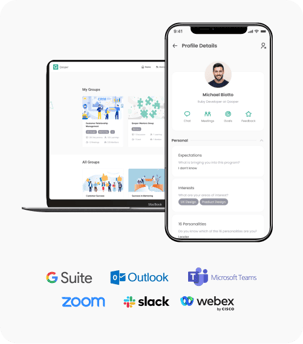
Mentoring where your team already works

Qooper’s Microsoft Teams integration helps reduce adoption friction by bringing mentoring into employees’ existing workflow. No separate app experience, fewer barriers to participation, and a more connected mentoring journey from launch through reporting.

Employee Experience

Get matched and notified in Teams

Microsoft Teams

Receive reminders, updates, and scheduling support

Qooper Platform

Manage matching, goals, program structure, and analytics

Program Outcomes

Track participation, engagement, and measurable impact

   What's Included   

Everything your program needs — inside Microsoft Teams

Built for program leaders, learning teams, and participants in one connected experience.

matching-section

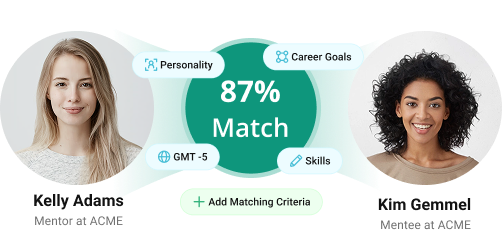
AI-Powered Mentor Matching

Qooper matches mentors and mentees based on skills, goals, experience, and availability, then surfaces those matches within the Teams experience.

next-steps-may23

Notifications and Nudges

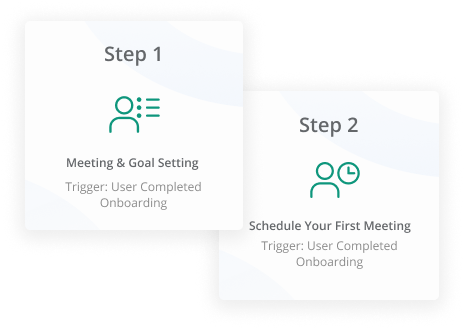
Send automated reminders, check-ins, and program updates directly through Teams so participants stay engaged throughout the program.

calendar-222-1

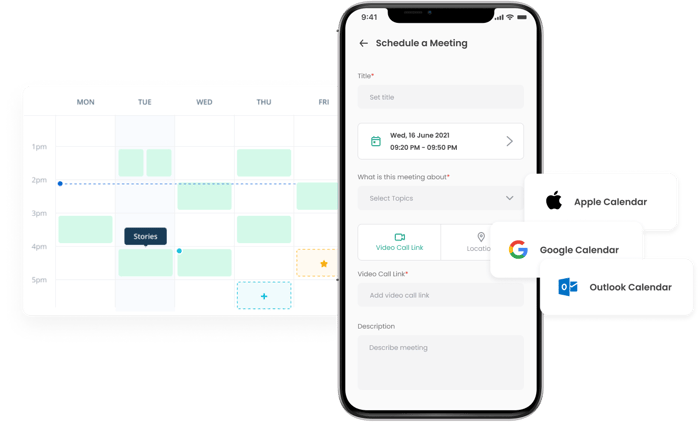
Integrated Scheduling

Coordinate mentoring sessions with Outlook Calendar sync. Agendas, discussion prompts, and follow-up workflows help each meeting stay productive.

mentorship-groups-feb25-1

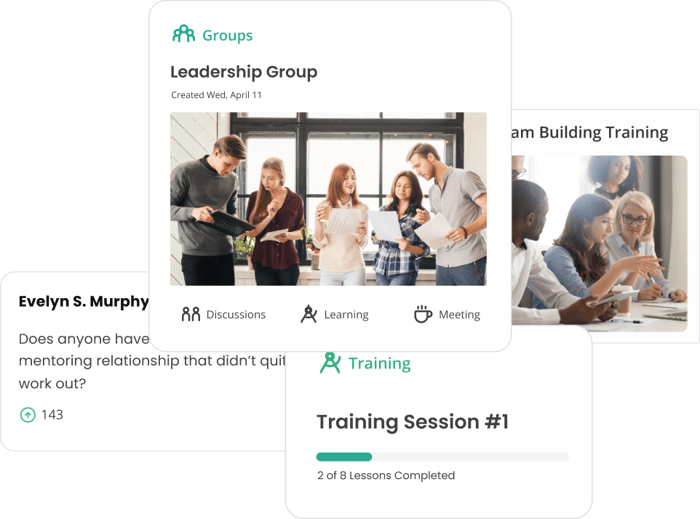
Group and Circle Mentoring

Support peer groups, community-based mentoring, and structured cohort experiences in addition to one-to-one mentoring.

training


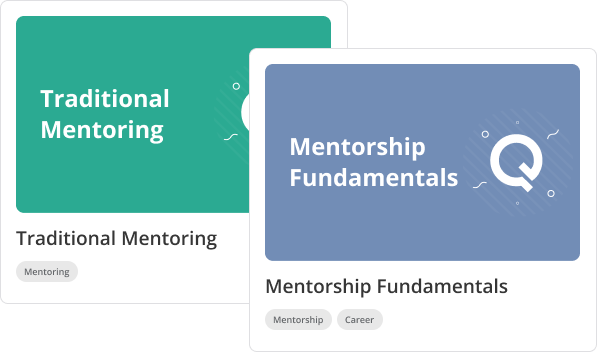
Structured Learning Paths

Deliver guided mentoring journeys, training content, and goal frameworks alongside your mentoring program to support measurable career development.

reporting and measurements


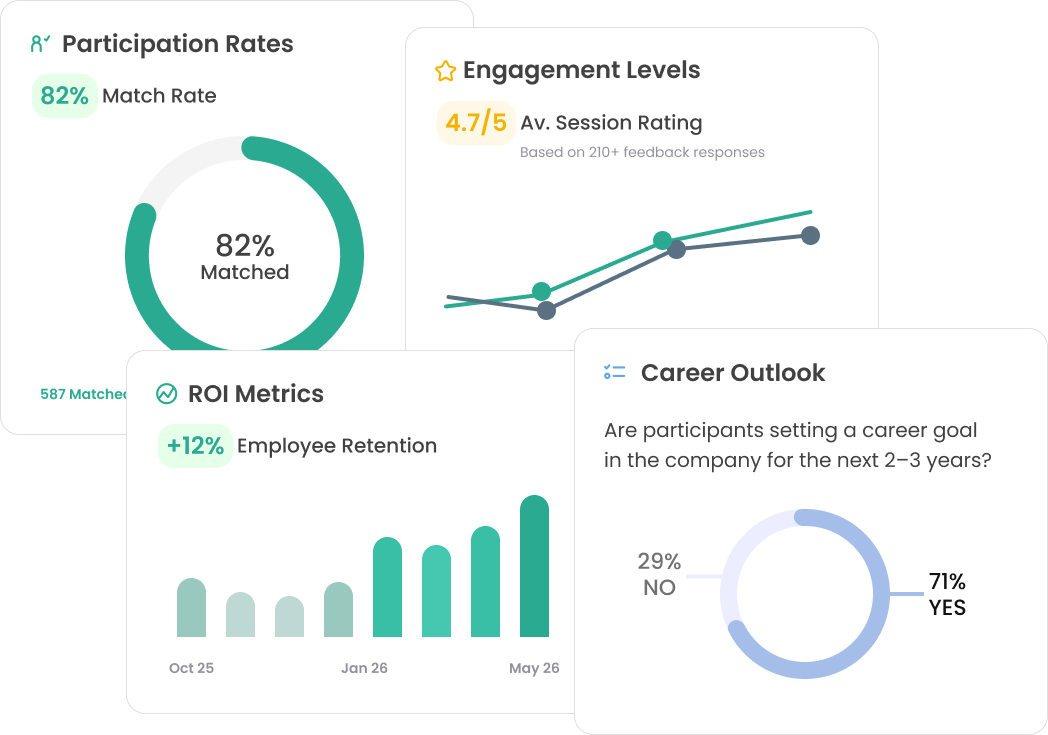
Real-Time Reporting

Track participation, engagement, goal progress, and program outcomes in real time. Share dashboards with leadership to demonstrate program value.

Microsoft Teams Integration for Mentoring and Employee Development


Qooper’s Microsoft Teams integration helps organizations manage and support mentoring, employee development, and professional growth programs directly within Microsoft Teams. By connecting Qooper with Teams, participants and program administrators can receive mentoring notifications, reminders, and engagement updates within the collaboration platform they already use every day.

This integration is designed for organizations running mentoring programs, leadership development initiatives, onboarding experiences, employee communities, and internal networking programs that depend on Microsoft Teams for daily communication. By embedding mentoring communication into Teams, organizations can improve visibility, participation, and ongoing engagement across their programs.

Qooper’s Microsoft Teams integration supports secure, permission-based access and gives administrators control over how mentoring communication is delivered across the organization.

What You Can Do with the Qooper Microsoft Teams Integration

With Qooper connected to Slack, organizations can:

  • Send mentoring notifications directly within Microsoft Teams

  • Deliver reminders for mentoring meetings, goals, and milestones

  • Share updates related to mentor-mentee matching and program participation

  • Keep mentoring programs visible without disrupting daily workflows

  • Reduce reliance on email for ongoing program communication

This integration supports mentoring programs across teams, geographies, and roles while helping maintain consistent communication throughout the participant experience.

The integration connects Qooper with your Microsoft Teams environment through secure, permission-based access. Setup and usage may include:

  • Administrator authorization during implementation

  • Connection to approved Microsoft Teams environments and user access

  • Automated delivery of mentoring-related notifications and updates

  • Ongoing communication without manual follow-up for each interaction

Once enabled, participants receive relevant mentoring updates in Microsoft Teams automatically, helping programs stay active and visible throughout the employee experience.

How the Microsoft Teams Integration Works with Qooper

Why Use Microsoft Teams for Mentoring Programs

Organizations choose Microsoft Teams as a delivery channel for mentoring because it:

  • Increases message visibility and response rates

  • Keeps mentoring communication aligned with daily collaboration

  • Reduces missed reminders and follow-ups

  • Supports distributed and remote teams

  • Helps mentoring programs scale across the enterprise

By integrating Microsoft Teams with Qooper, mentoring becomes part of everyday work rather than a separate destination.

The Qooper Microsoft Teams integration is designed to support:

  • Employee mentoring programs

  • Leadership development initiatives

  • Onboarding and early-career mentoring

  • Employee communities and group-based mentoring

  • Internal mobility and talent development programs

Administrators retain control over how notifications are delivered and how the integration supports the structure of each program.

Built for Enterprise Mentoring Programs

Security and Access Control

Qooper’s Qooper’s Microsoft Teams integration is built to align with enterprise security requirements and controlled access practices. Key considerations include:

  • Permission-based access with limited scope

  • Administrator-controlled configuration and authorization

  • Secure communication between platforms

  • Support for enterprise security standards and compliance requirements

FAQ

What is the Qooper Microsoft Teams integration?

The Qooper Microsoft Teams integration allows organizations to support mentoring and employee development programs inside Microsoft Teams. It helps participants receive mentoring notifications, reminders, and updates in the collaboration platform they already use, while administrators manage program structure, matching, engagement, and reporting through Qooper.

How does Qooper work with Microsoft Teams?

Qooper connects with Microsoft Teams so participants can receive relevant mentoring communication directly in Teams. Organizations use Qooper to manage program design, mentor matching, engagement workflows, and reporting, while Microsoft Teams helps deliver notifications and support ongoing participation within daily workflows.

Why use Microsoft Teams for mentoring programs?

Microsoft Teams helps organizations keep mentoring communication visible inside an environment employees already use for collaboration. This can improve participation, reduce missed reminders, and make mentoring feel like a natural part of everyday work instead of a separate activity.

What types of programs can use the Qooper Microsoft Teams integration?

The integration can support employee mentoring programs, leadership development initiatives, onboarding programs, early-career mentoring, internal networking programs, and group-based mentoring experiences. It is designed for organizations that want to scale structured mentoring and employee development with consistent communication and measurable outcomes.

Can participants receive mentoring reminders in Microsoft Teams?

Yes. Organizations can use Qooper with Microsoft Teams to deliver mentoring reminders, engagement nudges, and program-related updates within Teams. This helps participants stay informed about meetings, milestones, and program activity without relying only on email.

Does the Qooper Microsoft Teams integration support mentor matching?

Qooper supports AI-powered mentor matching as part of its mentoring platform. Organizations can use Qooper to match mentors and mentees based on relevant program criteria, while Microsoft Teams supports communication and notification within the participant experience.

Does Qooper integrate with other systems in addition to Microsoft Teams?

Yes. Qooper also supports integrations across a broader ecosystem, including employee systems, collaboration tools, and related platforms. This helps organizations connect mentoring programs with the systems they already use for communication, identity, and employee data.

Can enterprise organizations use Qooper for large-scale mentoring programs in Microsoft Teams?

Yes. Qooper is positioned as a structured, scalable mentoring platform built for organizations that need to manage mentoring complexity as programs grow. The Microsoft Teams integration supports that experience by helping communication remain consistent and accessible as participation expands.

#1 Rated Software, Service & Integrations For
Mentorship & Learning

Smart matching, seamless integration, real growth


"With smart integrations and an intuitive interface, Qooper removes the friction from mentoring — so every pairing leads to progress, not confusion."




George-Washington-University-Logo

tanaka chitore
Tanaka C.
The George Washington University

Integration turned our onboarding from scattered to seamless


"Qooper transformed our sales onboarding experience, driving stronger engagement with smart matching and calendar integration to build meaningful mentor and buddy relationships."




rentokil-terminix-logos-1

Mandisa L.
Mandisa L.
Rentokil Terminix

One integration to replace them all


"We introduced a new integrated platform for seamless virtual and self-paced learning, featuring peer-learning breakfasts, networking events, live virtual modules, and on-demand resources."


 

inter american development bank

Maria Soledad Mackinnon
Maria S.
Inter-American Development Bank
badegs-2026-jan-01
badegs-2026-jan-02
badegs-2025-may-05
badegs-2026-jan-03-2
badegs-2026-jan-04-2
badegs-2026-jan-11
badegs-2026-jan-09
badegs-2026-jan-12
badegs-2025-may-10
badegs-2026-jan-11
badegs-2025-may-08
logos-25-set3-1
logos-25-set3-2
logos-25-set3-3
logos-25-set3-4

Want to explore more?

Discover how Qooper can help your organizational goals and people development today.