
Overview
Qooper provides two ways to match participants: Bulk Suggest and Manual Matching. Bulk Suggest generates system-based match recommendations for large-scale matching, while Manual Matching allows admins to create matches directly for individual participants. Both methods help admins manage matching based on program needs, either at scale or with full control.
Step 1: Choose Your Matching Method
- Bulk Suggest → best for matching many participants at once
- Manual Matching → best for precise, individual matches
Step 2: Match Participants
Option A: Bulk Suggest (High-volume matching)
- Go to Admin Dashboard
- Click Matching

- Select View Matching Algorithm Suggestions / Bulk Suggest
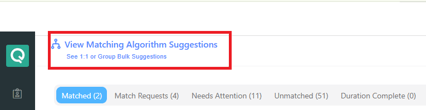
- Choose match type:
- Mentor/Mentee
- Peer
- Group
- Adjust settings (e.g., match rate %)
- Click Proceed
- Review matches
- Click Confirm (or Confirm All)
👉 For a detailed guide on how to use this feature and match participants, please check:
How to Use Bulk Suggest for Mentor/Mentee, Peer, and Group Matching in Qooper
Option B: Manual Matching (Precise control)
- Go to Admin Dashboard
- Click Matching
- Search for a participant (name or email)
- Open their profile
- Click Search Mentors or Search Mentees
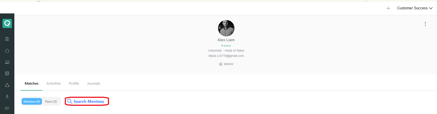
- Click Add to create the match
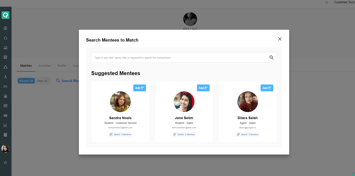
Alternative (Quick Suggestions):
- Go to Matching → Unmatched
- Select a participant
- Review suggested matches
- Click Add (+)
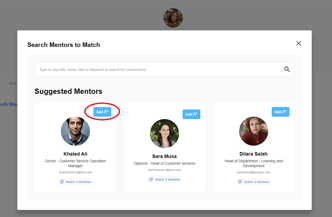
👉 For a detailed explanation of how suggestions are generated, please check:
How to Manually Match Users on the Admin Dashboard
When to Use Each Method
Use Bulk Suggest if:
- You have a large number of participants
- You want to generate matches quickly
- Your matching criteria are well defined
Use Manual Matching if:
- You need full control over each match
- You are handling specific or VIP cases
- You want to review matches individually