
Overview
Action Types define what participants are guided to do when they complete a program step. Each action type directs users to a specific feature or activity within the platform.
What are Action Types?
When creating a program step, the Action Type determines the next action a participant can take directly from that step.
This helps guide users through their mentoring journey in a structured and actionable way.
Available Action Types
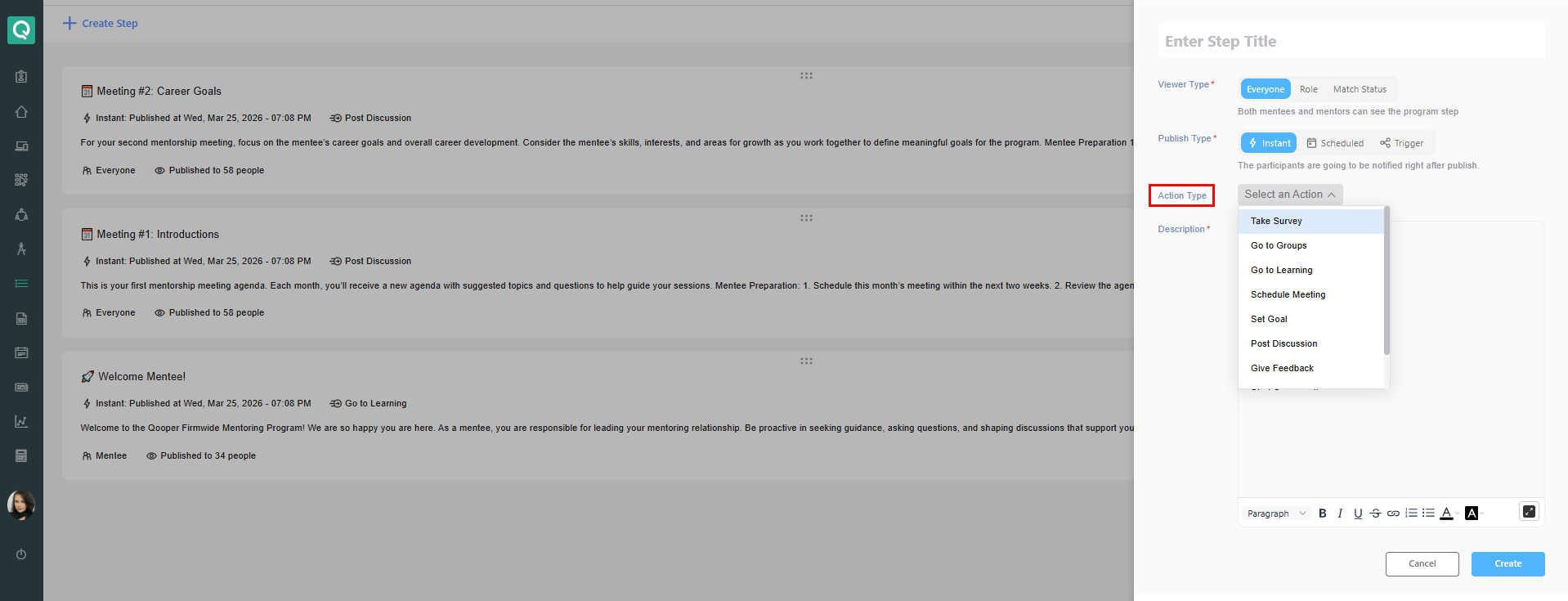
Below are the available action types in program steps:
- Take Survey
Directs users to complete a program survey - Go to Groups
Navigates users to the Groups section - Go to Learning
Directs users to assigned learning content - Schedule Meeting
Prompts users to schedule a meeting with their match - Set Goal
Encourages users to create or update a goal - Post Discussion
Directs users to create a discussion in a group - Give Feedback
Prompts users to submit feedback - Start Conversation
Encourages users to send a message to their match - Go to Mentoring
Navigates users to the Mentoring section
How to configure Action Type
- Go to the Admin Dashboard
- Navigate to Steps
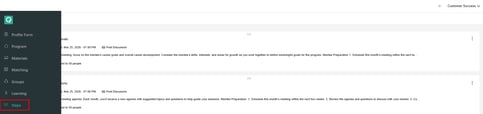
- Create or edit a step
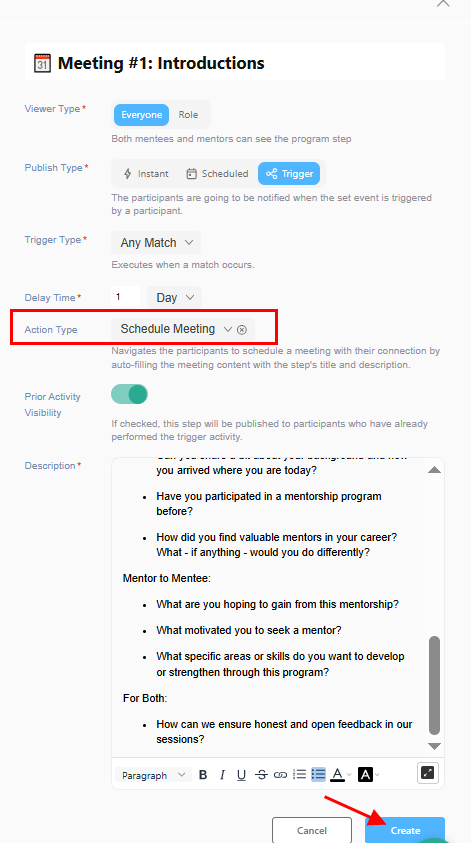
- Locate the Action Type field
- Select the appropriate action based on your goal
- Save or publish the step
Best Practices
- Align the action type with the goal of the step
- Use clear step titles that match the action (e.g. “Schedule your first meeting”)
- Avoid mismatched actions (e.g. “Set a goal” with “Go to Groups”)
- Combine with Viewer Type and Publish Type for better targeting
Learn More
- Create a Program Step — full step setup guide
- Match Status-Based Viewer Types — control who sees steps