
This article provides a brief overview of how the matching algorithm suggestions work. To learn how to use the feature and match participants, please refer to the article How to Use Bulk Suggest for Mentor/Mentee, Peer, and Group Matching in Qooper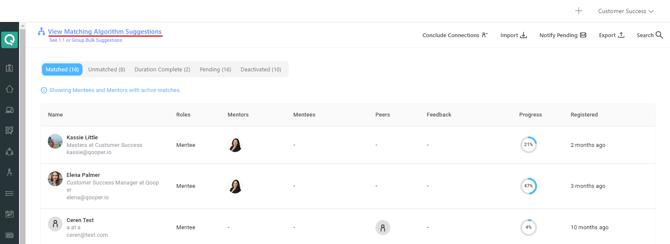
Bulk Suggest is a very powerful tool that calculates a lot of possible matches and picks the best one possible.
Admins can run the `Bulk Suggest` in the matching tab and get the suggested pairs.
Qooper uses the matching weights to calculate and recommend the best matches possible upon Auto-Match and Self-Match.
All the questions created as "Use in matching algorithm" in Qooper appear under the Matching weight table.
Once we set our matching weights under the program section in the admin dashboard, we can move to use the "bulk suggest" to generate Mentor/Mentee, Peer, or Group matches.
Bulk Suggest Settings
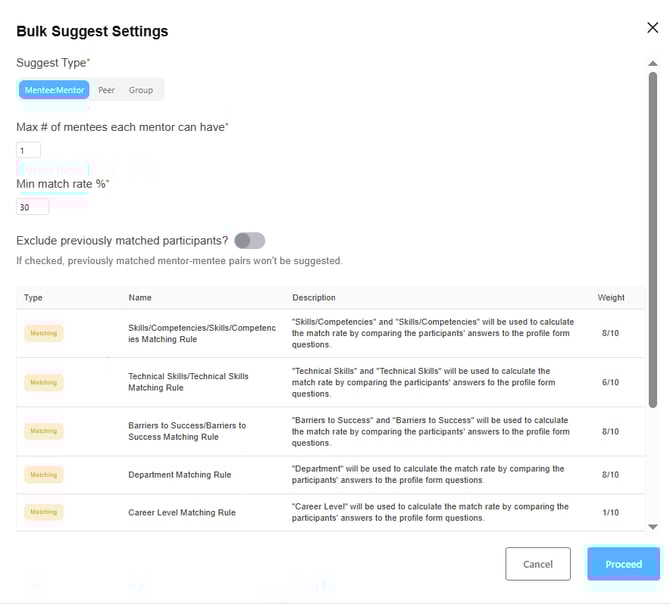
Suggest Type: Program admins can decide whether they would like to generate Mentee:Mentor, Peer, or Group matches based on program goals.based on their program goals.
Match Rate: In the area where admins can input the match rate percentage, it's taking the criteria from the profile that admins want to be used in the matching algorithm and saying when admins run the tool we will make matches based on a minimum of 30%.
Proceed
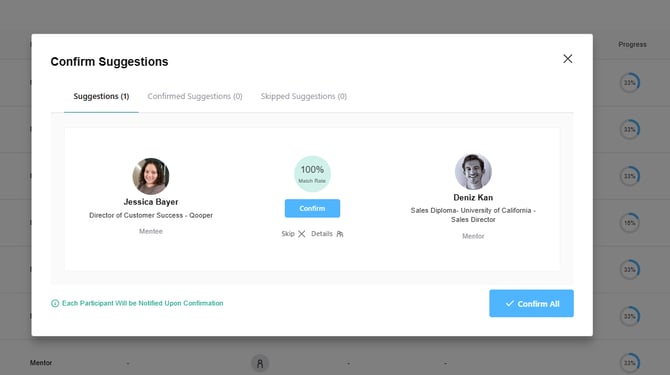
After pressing 'Proceed', the program admins can confirm the suggested matches one by one or as a group through the next page.
Important note !
Bulk Suggestion behavior only uses the questions marked as “Use in matching algorithm.”
It does not consider other profile information.
If participants do not meet the matching criteria or conditional rules, Bulk Suggest may return few or no suggestions.