
Program admins can hold match suggestions in a Matches Under Review queue before creating the match and notifying participants. This gives admins time to review and decide on suggested matches before they are confirmed.
Matches can be moved to review from bulk matching suggestions, declined matches, manual searches, or recommendations.
📋 How It Works
1. Move a Match Suggestion to Review
- Go to Matching or open a participant's matching page.
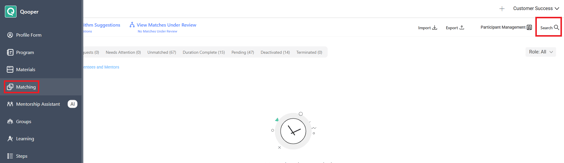
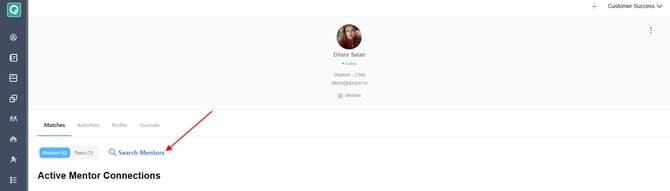
- Search for a participant or review the suggested matches.
- Select To Review on the match suggestion.
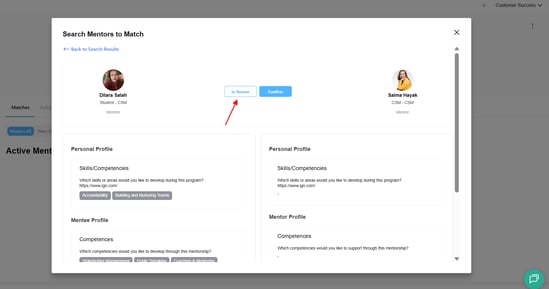
- The suggestion moves from the current search or recommendation list to Matches Under Review.
2. Open Matches Under Review
You can access the review queue from the Matching section and click on View Matches Under Review 
If a participant already has matches waiting for review, Continue Review appears at the top of the page.
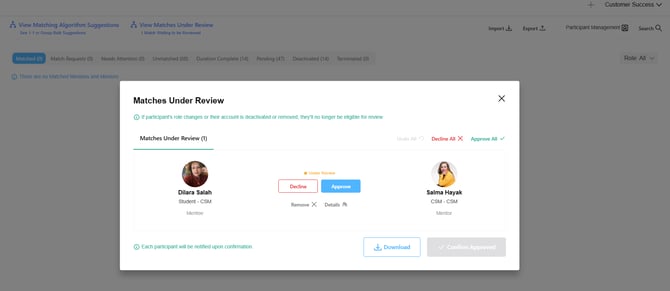
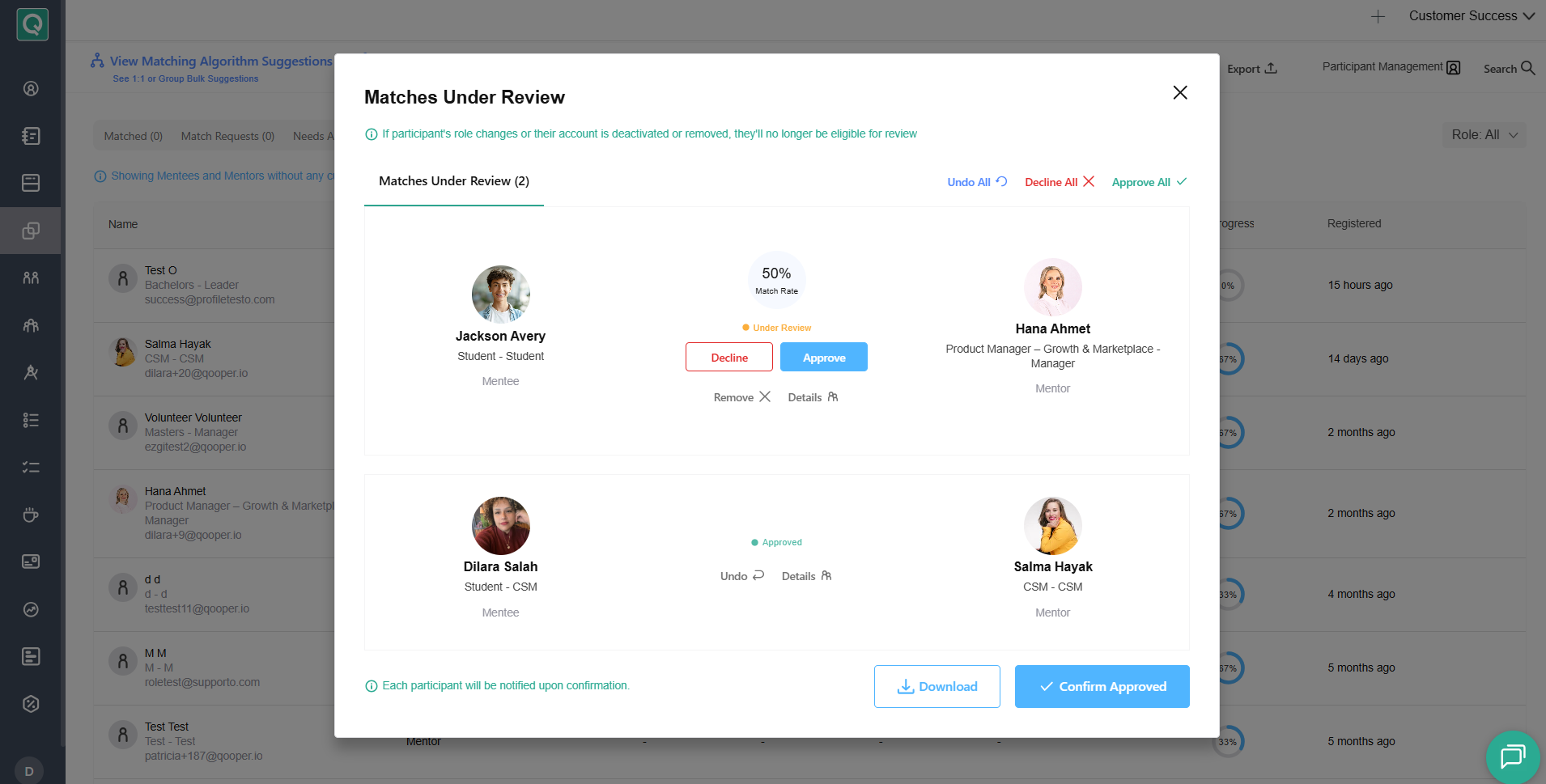
3. Review and Make Decisions
You can review suggestions individually or use bulk actions.
- Approve / Approve All: Mark suggestions as ready for confirmation. The match is not created or communicated yet.
- Decline / Decline All: Mark suggestions as not a match.
- Undo / Undo All: Return a decision to Under Review while the suggestion is still in the queue.
- Remove / Remove All: Remove suggestions from the review queue so they can appear in future suggestions or searches.
- Download: Export the current under-review list.
4. Confirm Approved Matches
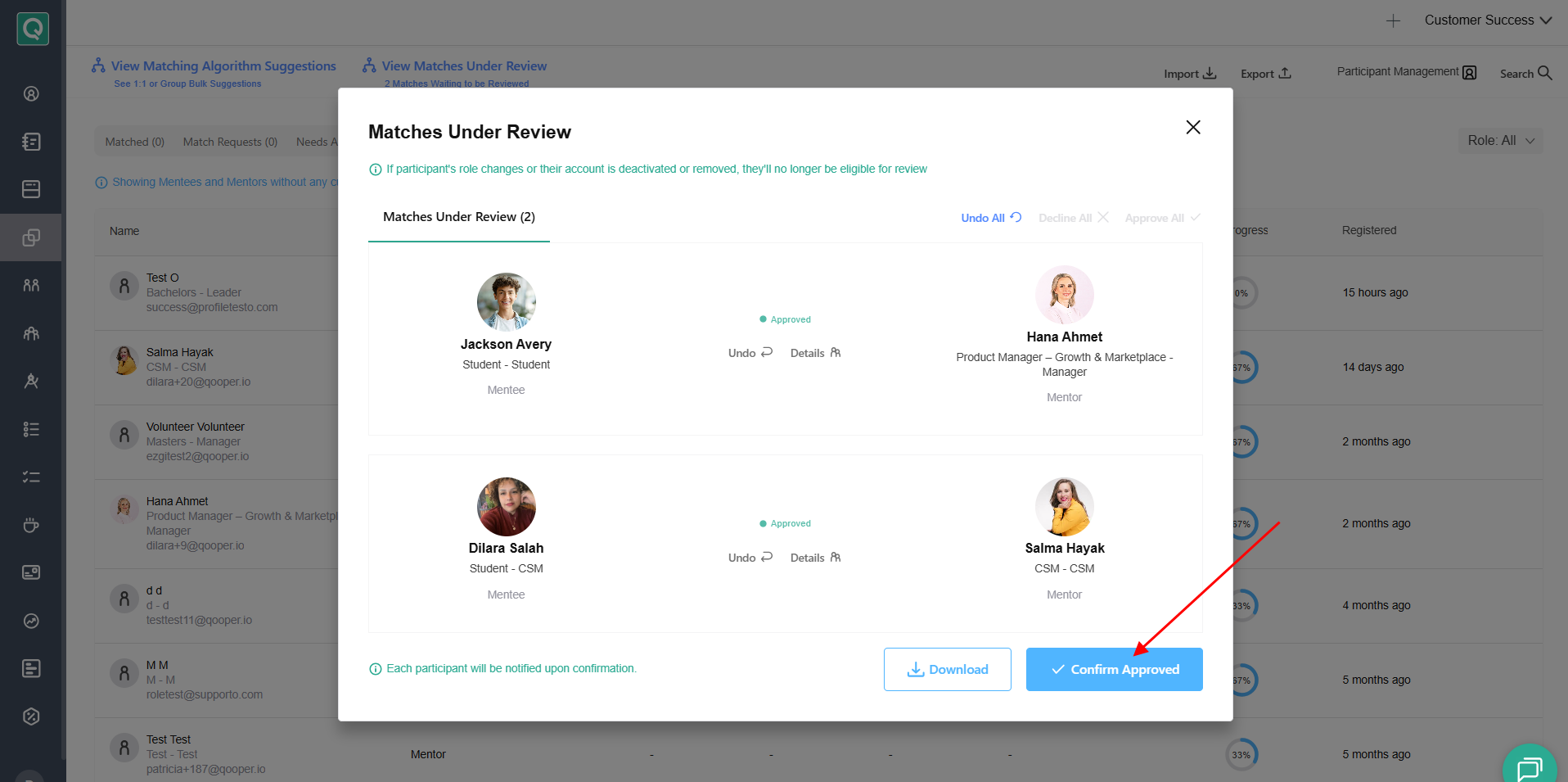
After reviewing the suggestions click Confirm Approved:
A confirmation message will appear showing the number of approved and declined matches:
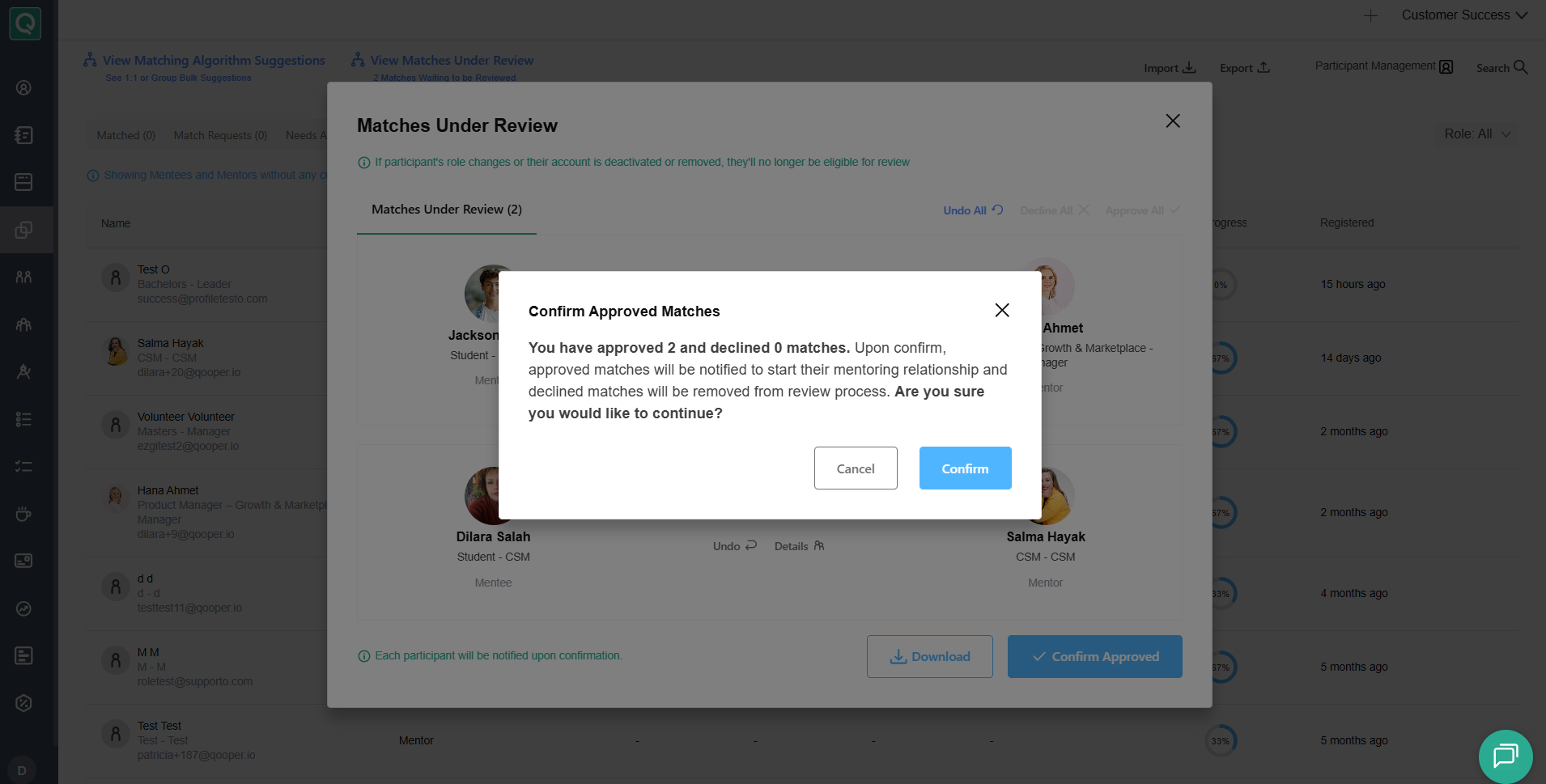
Review the confirmation message and select Confirm to finalize your decisions.
- Approved pairs become official matches and participants are notified.
- Declined suggestions are removed from the review queue.
💡 Important: Clicking Approve does not notify participants. Notifications are triggered only after you select Confirm Approved.
Want to Enable Match Review?
Interested in using Matches Under Review for your program? Reach out to your Qooper Customer Success Manager (CSM) to request that the feature be enabled for your organization.
🎥 Video Walkthrough
Watch the video below for a step-by-step guide to reviewing matches before notifying participants.