
Overview
Mentorship programs often include conversations and meetings that happen outside the platform, which can make it difficult to track true engagement accurately. This update introduces a structured way for users to log mentorship meeting activity, while helping admins gain more reliable reporting across programs.
It streamlines how meeting minutes are collected, improves participation through email-based logging, and ensures that all submitted data is consistently reflected in analytics and exports. This results in more complete program insights without adding extra manual work for admins.
1. Monthly Automated Meeting Minutes Collection
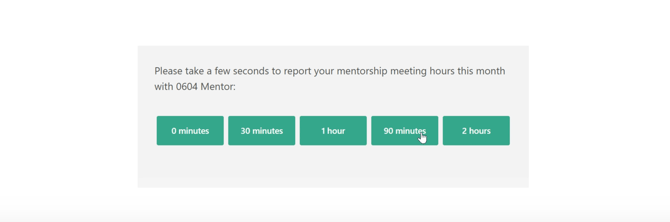
Users now receive a monthly email prompting them to log mentorship meeting hours. The email includes quick selection options for common durations, making logging faster and more consistent.
How it works
- Sent only if notifications are enabled
- Only sent if the user had an active match that month
- Delivered on the last day of each month at 9:00 AM CST
- Responses are stored and reflected in analytics
Outcome:
Programs often lose visibility when mentorship happens outside the platform. This closes that gap and improves engagement tracking accuracy.
2. Meeting Minutes Submission via Email
Users can submit their meeting minutes directly from the email without logging into the platform. After submission, they are redirected to a thank you screen.
-4.png?width=670&height=270&name=image%20(1)-4.png)
Rules
- One submission allowed per match per month
- Each submission is final for that cycle
Outcome:
Reducing steps increases response rates. The fewer clicks required, the more likely users are to complete reporting.
3. Meeting Data in Reporting and Exports
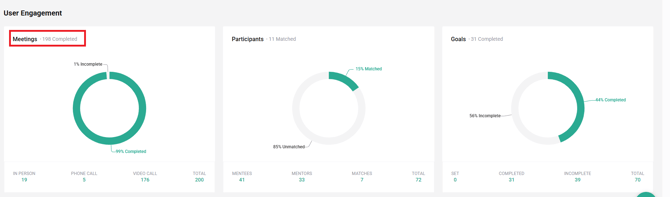
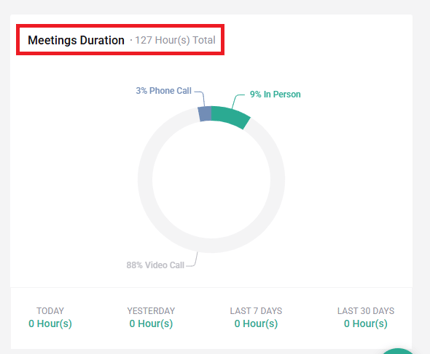
Meeting submissions now flow directly into analytics, graphs, and exportable reports.
- Meetings Graph: completed meetings, video call meetings, and totals
- Duration Graph: video call percentage, total duration, previous month comparison
- Export sections:
- Match Detail
- Activities and Preferences
- Mentorship Hours
- Meetings tab

Data Rules
- Data is calculated per match, not per user.
- If one user submits, that value is used.
- If both users submit, the higher value is used.
Meeting Duration Logic
- 30 or 60 minutes = 1 video meeting
- 90 or 120 minutes = 2 video meetings
Important Rule
- If both users submit different values, only the higher value is counted.
Outcome:
Reporting becomes more defensible for program owners. But it also introduces an assumption: that the higher value is always the more accurate one. That is a design choice, not a fact.
4. Improved Email and Thank You Experience
Emails and confirmation screens have been redesigned to be more mobile friendly and easier to understand.
- Cleaner structure
- Simplified language
- Better mobile readability