
The Participation Management section allows admins to manage participant-related actions directly from the Matching page in the Admin Dashboard.
This section includes:
- Reinviting pending participants to complete their profiles
- Concluding participant connections
These tools help admins manage participant readiness and maintain active program connections.
Where to Find Participation Management
Go to:
Admin Dashboard → Matching → Participant Management
Notify Pending Participants
The Notify Pending Participants option allows admins to send reminder emails to participants who have not completed their profiles.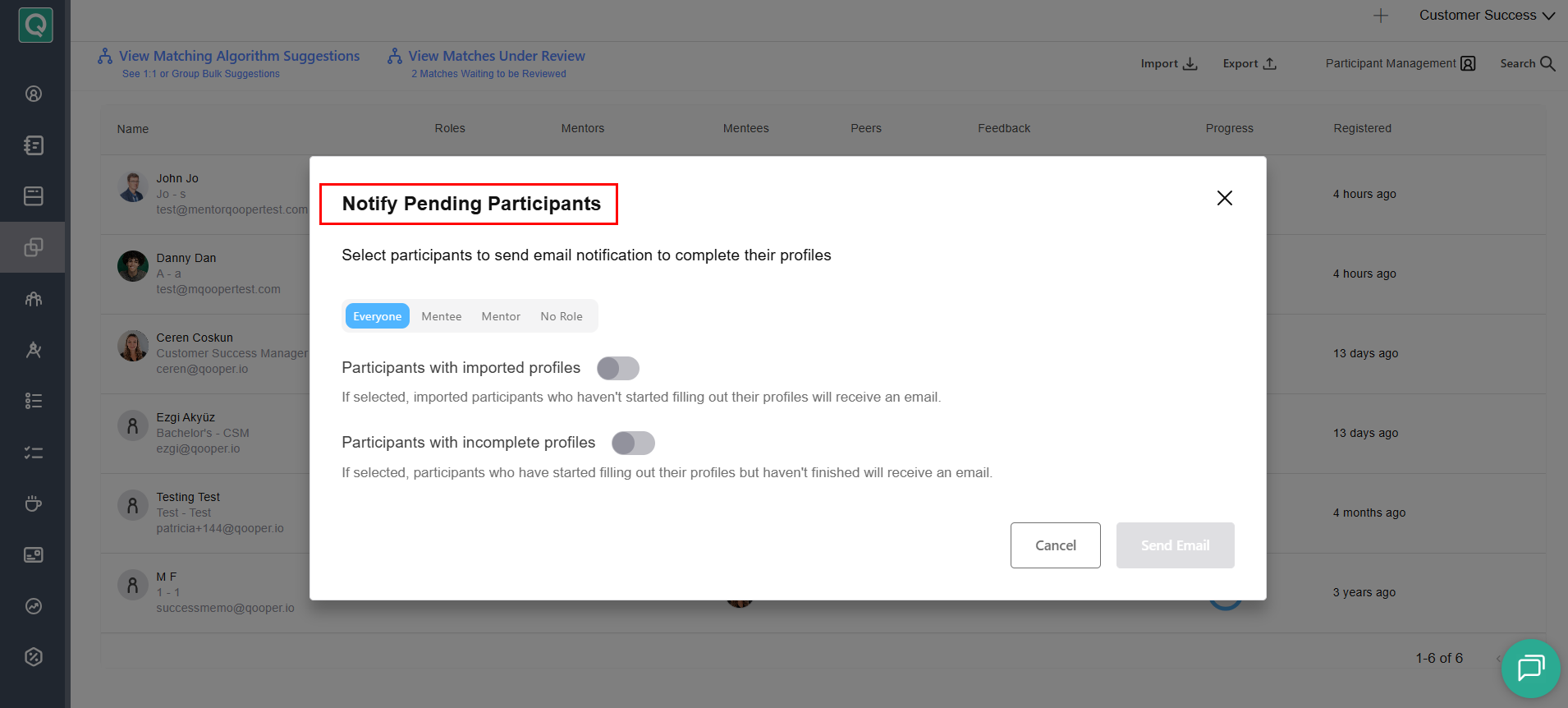
Admins can choose to send notifications to:
- Everyone
- Mentee
- Mentor
- No Role
Additional participant options include:
-
Participants with Imported Profiles: If selected, imported participants who have not started filling out their profiles will receive an email.
-
Participants with Incomplete Profiles: If selected, participants who started filling out their profiles but have not completed them will receive an email.
Conclude Connections
The Conclude Connections option allows admins to manage and conclude participant connections directly from the Matching page.
This can be used when participant connections have reached completion or should no longer remain active within the program.
Why Participation Management is Important
Participation Management helps admins:
- Improve participant readiness before matching
- Increase profile completion rates
- Follow up with inactive or pending participants
- Manage completed or inactive participant connections
- Maintain a more organized matching experience