
Profile form questions can be used as filters during Self-Matching. This helps you find more relevant mentors, mentees, or peers by narrowing search results based on profile information.
How It Works
- Go to your user account
- Click on the Mentoring tab at the top of the page
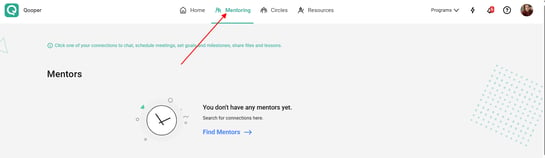
- Select Find Now to search for mentors, mentees, or peers
You will see:
- A search bar to search by keywords such as name, skill, or title

- A Filters button next to the search bar
- Click on Filters
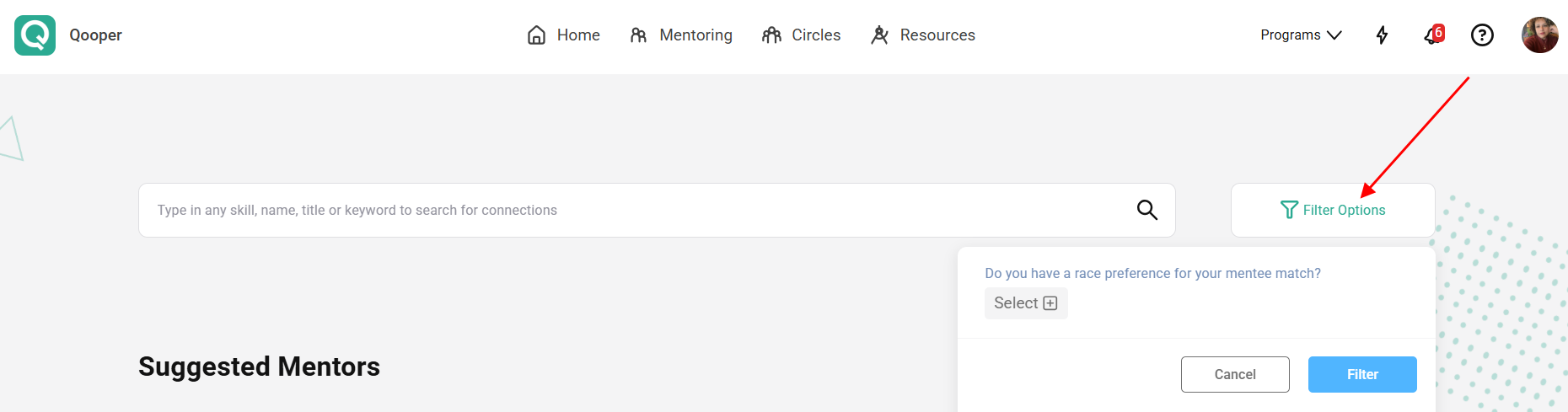
- A list of available profile form questions will appear
- Select answers to refine and filter your search results
Important Notes
- Only Single Choice and Multiple Choice profile form questions will be shown as filters
- Available filters may vary depending on your program configuration