
Qooper allows users to search for mentors, mentees, or peers and connect with participants based on shared interests, goals, skills, or profile information.
How to Search for a Mentor or Mentee or Peer
- Log in to your Qooper account
- Click on the Mentoring tab at the top of the page

- Select Find to begin searching for mentors, mentees, or peers
You can use:
- The search bar to search by name, skill, title, or keyword
- Filters to narrow results based on profile information and program settings

How to Connect
- Browse through the available matches
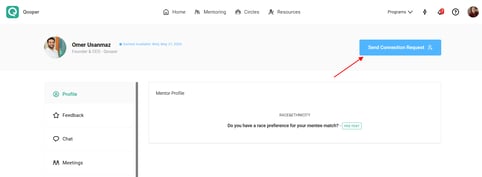
- Select a profile to view more information
- Click Send Connection Request
💡 What Happens Next?
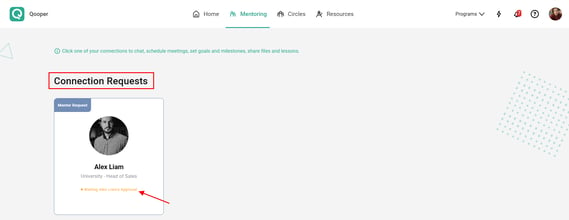
- While Pending: The request will appear under your Connection Requests tab while it waits for approval from the other person (or a program administrator).
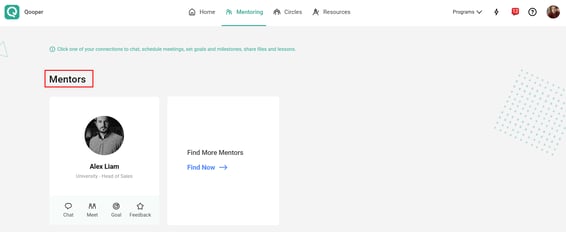
- Once Approved: The connection will automatically move into your Mentors tab, allowing you to instantly start messaging them or scheduling meetings.
Important Notes
- Available search filters may vary depending on your program configuration
- Some programs may require approval before a match becomes active
- Users can only connect with participants who are visible within their program permissions
- Profile completeness improve match recommendations