
Administrators can view and download participant certificates directly from the Reporting Dashboard. Certificates can be downloaded individually for specific participants or downloaded in bulk.
How to Access Certificates
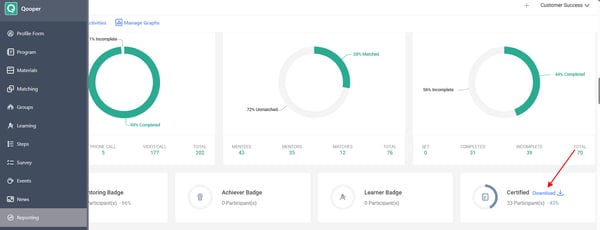
- Navigate to the Admin Dashboard.
- Select the Reporting tab.

- Locate the Certificates section.
- Click Download.
A window will open displaying all participants who have earned the selected certificate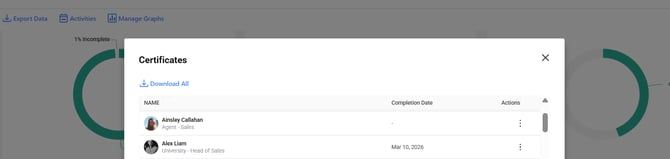
The certificate list includes:
- Participant Name
- Completion Date
- Actions
View or Download Individual Certificates:
- Locate the participant in the certificate list.
- Click the three-dot menu in the Actions column.
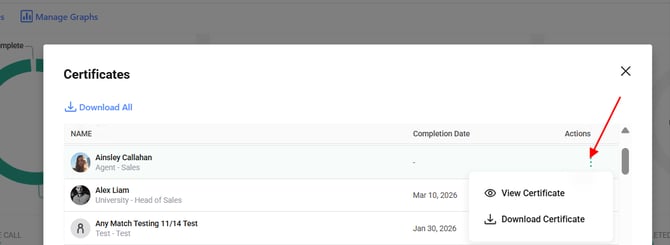
- Select View Certificate or Download Certificate
Downloading All Certificates:
To download certificates in bulk:
- Open the certificate list.
- Click Download All.
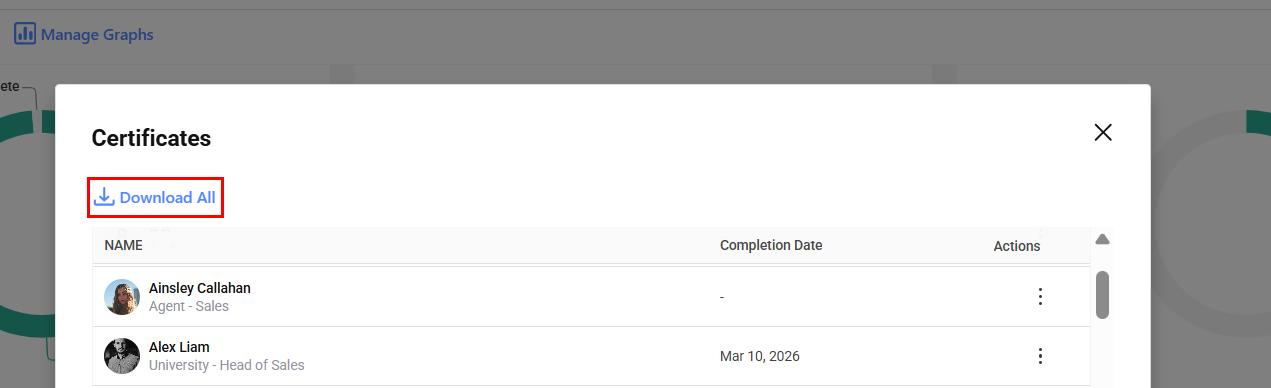
This will download certificates for all participants listed in the selected certificate report.