
How Admins Can Review and Manage Match Requests
Admins can review and take action on match requests before they are finalized. This allows admins to ensure matches align with program goals and guidelines.
Before You Start
Make sure match approval is enabled for your program:
- Go to the Admin Dashboard
- Navigate to Program Settings
- Enable Mentor Match Approval and or Mentee Match Approval

When this setting is enabled, mentors and or mentees are required to approve match requests before a match is finalized. Admins can still review and accept or decline requests at any time.
How to Check Match Requests
- Go to the Matching section
- Click on Match Requests
- Select a request from the list
- Click on the participant profile with the pending request

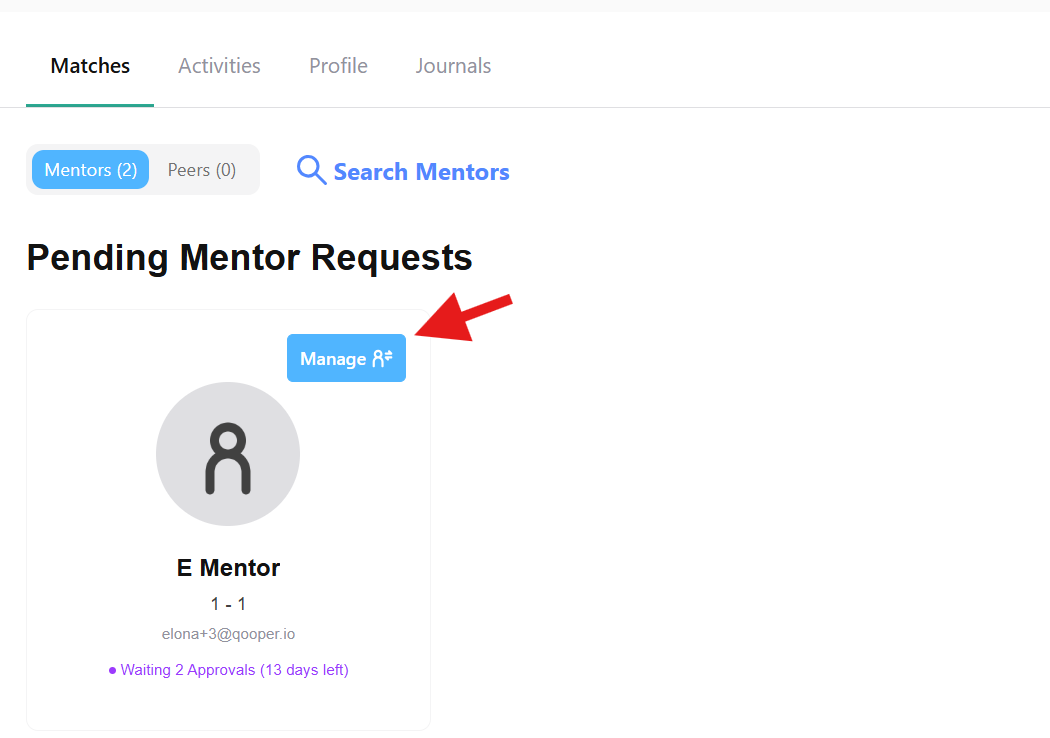
- Under Pending Mentor or Mentee Requests, click Manage
How to Accept or Decline a Request
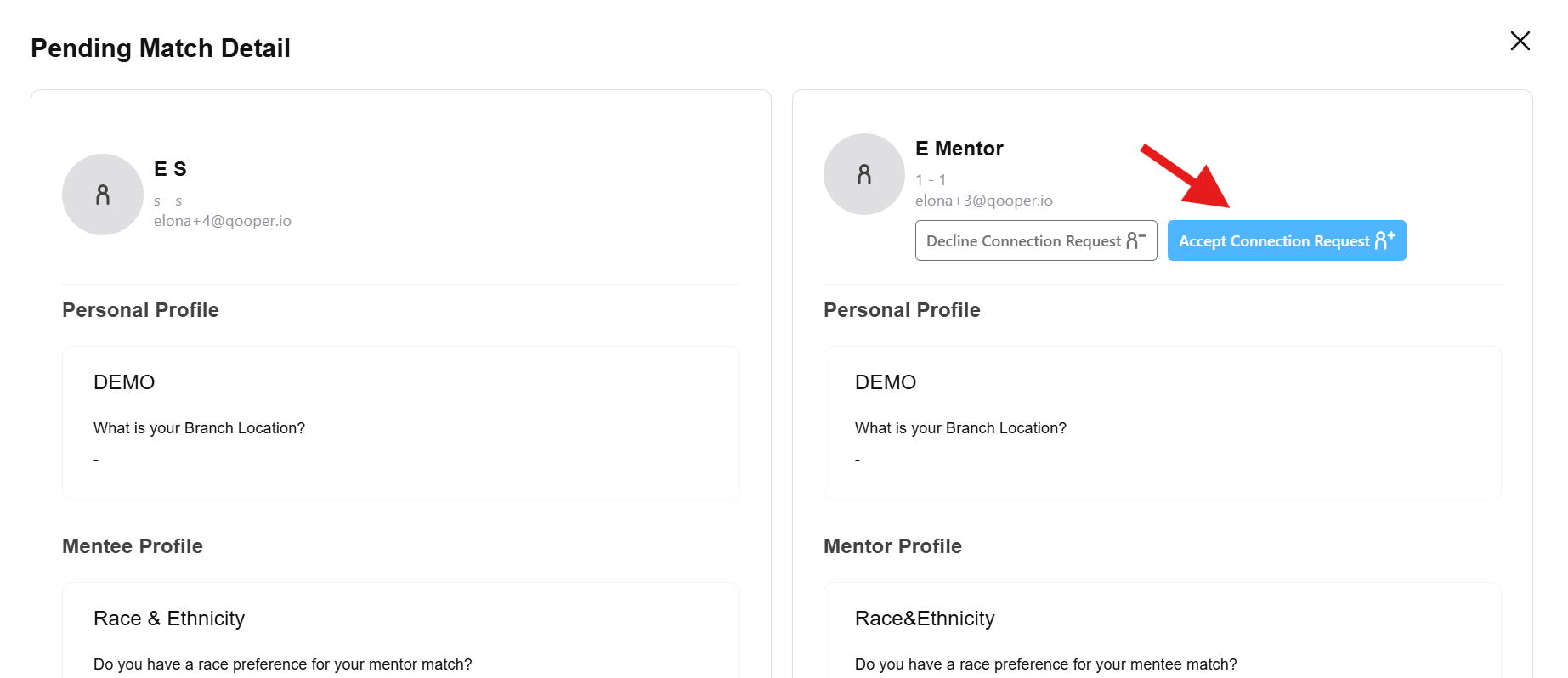
- Review the match details
- Choose one of the following options:
- Click Accept Connection Request to approve the match
- Click Decline Connection Request to reject the match
Notes
- Match requests appear after participants send requests to each other
- Participants must approve requests if approval settings are enabled
- Admins can accept or decline requests before participants finalize the match