
The Matching Screen Export provides a structured report of participant data, match information, engagement activity, and program outcomes. Each tab represents a different reporting category to help admins evaluate program performance from multiple angles.
Below is an explanation of what each tab represents and how it supports reporting.
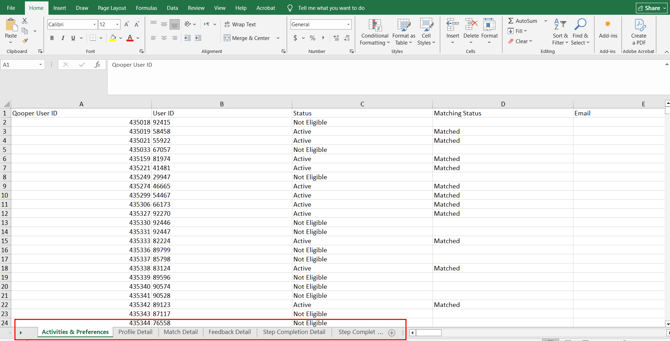
1. Activities & Preferences
What it includes:
This tab provides a view into participant engagement and behavioral activity within the program. It reflects how actively users are participating beyond just being matched.
How to use it:
It helps measure overall involvement, including participation in discussions, groups, events, and feedback activity. Admins can use this data to identify engaged participants, monitor interaction levels, and detect users who may not be actively participating.
This tab focuses on engagement behavior rather than match structure.
2. Profile Detail
What it includes:
This tab serves as the master participant data sheet for the program.
How to use it:
It includes all system identifiers and profile form responses, allowing admins to review participant information in one place. This tab is useful for validating participant records, analyzing demographics, and supporting reporting segmentation.
This tab focuses on who the participants are.
3. Match Detail
What it includes:
This tab provides structured information about the matches themselves.
How to use it:
It shows the status of each match, when it started, when it ended (if completed), and the duration of the match. It allows admins to track match lifecycle data and understand the overall matching structure within the program.
4. Feedback Details
What it includes:
This tab captures feedback exchanged between participants during the program.
How to use it:
It provides visibility into qualitative insights, including comments and tagged feedback. Admins can use this data to evaluate participant satisfaction, identify common themes, and assess the overall experience of mentors and mentees.
This tab focuses on participant sentiment and qualitative input.
5. Step Completion Detail
What it includes:
This tab tracks progress through structured mentorship steps or required program activities.
How to use it:
It helps determine whether participants are completing the expected milestones within the program framework. This is useful for monitoring accountability and structured progression.
This tab focuses on guided program progression.
6. Learning Completion Detail
What it includes:
This tab tracks engagement with assigned learning materials.
How to use it:
It indicates whether participants have started or completed specific learning components. This supports reporting on training participation and educational engagement within the program.
7. Program Survey Response Details
What it includes:
This tab contains submitted survey responses related to the program.
How to use it:
It provides quantitative ratings and qualitative responses that measure satisfaction, program impact, and overall effectiveness. This data is typically used for ROI reporting and leadership updates.
To learn how to download the export file, click here: [How to Generate the Matching Screen Export]