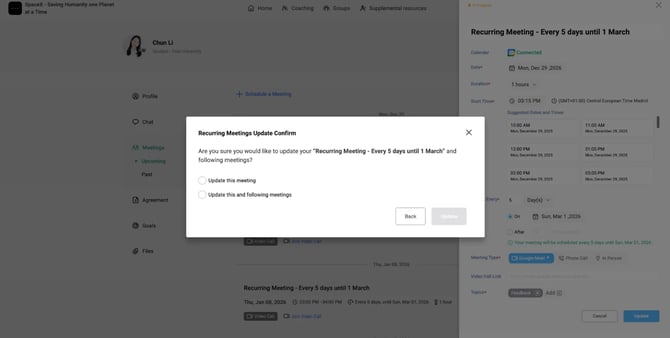
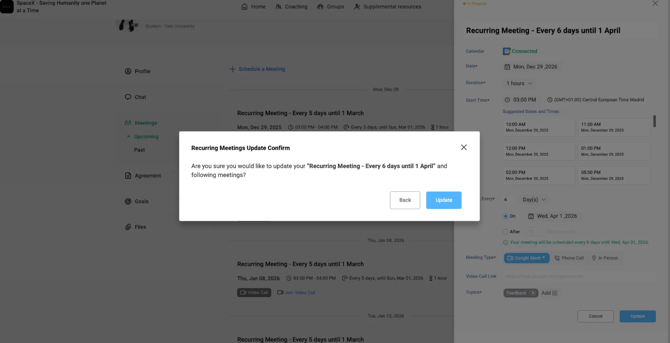
Recurring Meetings allow you to schedule mentoring meetings that repeat on a regular schedule, so you don't have to create each meeting individually.
Schedule a Recurring Meeting
- Sign in to Qooper.
- Go to your Mentoring page and select the connection you want to meet with.
- Open Meetings and select Schedule a Meeting.
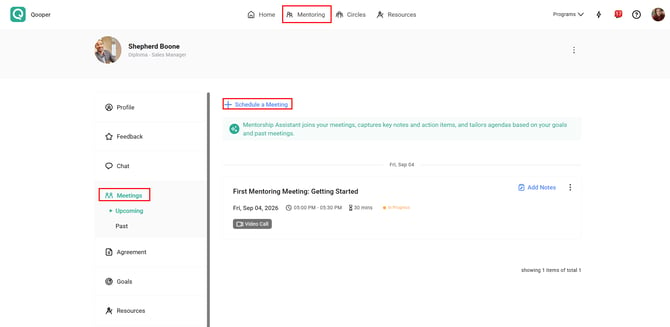
- Enter the meeting details, including:
- Title: Name your session (e.g., Bi-weekly Mentoring Check-in).
- Date & Time: Set the start time and duration.
- Meeting Type: Choose your preferred meeting type
- Change the toggle option for Make Repeats.
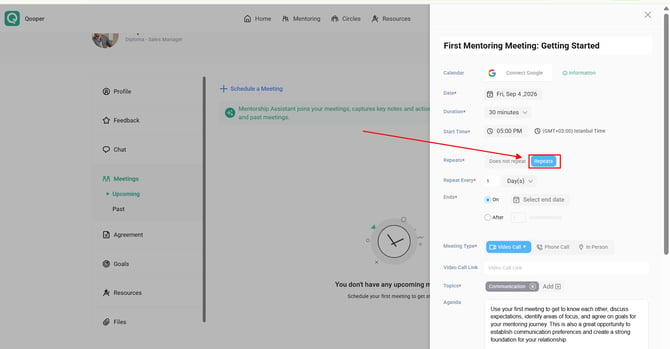
- Select your preferred frequency (e.g., Weekly, Every 2 Weeks, Monthly) and set an end date or maximum number of occurrences.
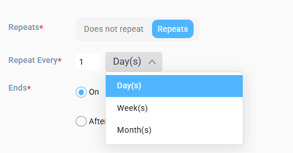
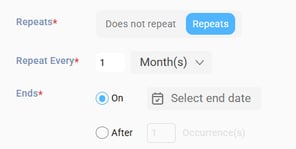
- Review your settings and click Schedule.
Qooper will create the recurring meeting series based on the schedule you selected.
Update a Recurring Meeting
When editing an existing recurring series, Qooper lets you control how changes apply:
- Edit/Cancel Only This Meeting: Applies updates or cancellations solely to the selected occurrence without altering the rest of the series.
- Edit/Cancel This and All Following Meetings: Updates or cancels the current session and all future scheduled occurrences in the series.